
What Is Zelle? All About the Zelle App
Zelle is a digital payment service company based in the United States. It was founded in 2017 and is owned by Early Warning Services. Zelle claims to be an easy and fast gateway to send and receive money from your family and friends. Think of it as another mobile app like Venmo and PayPal. You can download the Zelle app on your mobile phone and use it as an e-wallet to transfer funds to anyone you want. All you need to know is their email address or phone number.
How to use Zelle & What Can I Do Using Zelle?
Zelle has been working hard to offer its users services so that they can move money in a matter of seconds. You do not need to stand in a queue at the bank to write a check or make a transfer; all you need is an account in Zelle, and you can transfer funds within a few clicks. Unlike Venmo, people can use Zelle directly from their banking apps. Many major banks in the US are affiliated with Zelle; therefore, you do not even have to download the Zelle app if you are using these banks’ services.
What is Chime & what can I do with Chime?
Chime is a financial technology company that provides banking services with its banking partners, Stride Bank and Bancorp Bank. Therefore, Chime is not a bank; it is a technology corporation that offers a mobile banking app. Moreover, Chime does not have any physical operations; everything is online. You have to use their mobile app to make transactions online. It is one of the few financial institutions that provide a checking account without any monthly fees. You can open two types of bank accounts in Chime: a checking account and a savings account. The Chime checking account has no monthly maintenance fee, and there are no minimum balance requirements.
Does Chime Work with Zelle
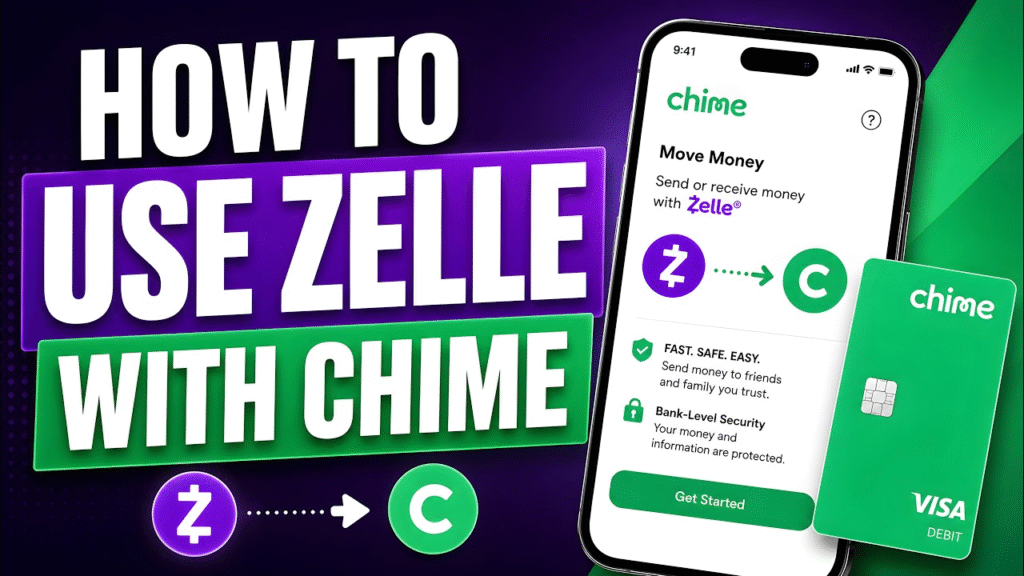
Since Chime is not a bank, you might be wondering if Chime can work with Zelle. The answer is YES. Chime can be used to send money via Zelle. However, there is a catch. Chime is not one of the participating banks of Zelle, and therefore, you cannot directly use the Chime app to send money on Zelle. We have found a way around it that will make Chime work on Zelle using the Zelle app itself.
How Can You Connect Chime with Zelle easily?
Even though Chime is not a physical bank and is not linked with Zelle, you can still send money from Chime using Zelle. For this, you will need to operate using the Zelle app. Follow the steps below to know how to use Chime on Zelle.
- The first step is to download both the Chime and Zelle apps. The apps are available for free on iOS and Android.
- Open the apps and register for your Chime bank and Zelle accounts. Signing up is easy. All you need to provide is your email address and mobile number.
- Open the Zelle application and go to the “Where do you bank?” section.
- Type in Chime in the search section. However, Chime will not come up in your searches. Don’t worry, as this is normal. You will then need to click on the “Don’t see your bank” tab.
- This will take you to a new page where you have to add a debit card. Enter your Chime debit card details and press “Continue”. You should already have a Chime debit card since you have already registered for a Chime account.
- Finally, choose a strong password to continue with your new Zelle account.
What is the fee for using Chime with Zelle?
Unlike other peer-to-peer payment services, Zelle does not charge a fee. This means that you can instantly send money from Chime to Zelle without any extra fees. Interestingly, even if Zelle does not charge a transfer fee, sending money from Chime bank using Zelle is not as quick as other native banks. Since you have to use Chime Bank’s debit card to send money, it may take a few business days to issue the transfer.
Benefits of Using Chime and Zelle
Here are some advantages of using Chime with Zelle:
- The Zelle interface can use your Chime debit card details to facilitate money transfers to other Zelle users.
- Zelle’s extensive integration with almost all US banks and credit unions broadens your network for sending money.
- Transfers between Zelle users often take just minutes to complete.
Drawbacks of Using Chime and Zelle
Here are the disadvantages of using Chime with Zelle:
- Chime’s “Pay Anyone” feature facilitates transfers to fellow Chime users, but direct transfers to Zelle-linked emails within the Chime app are not supported.
- Chime’s ACH transfer feature is designed solely for your private bank account via routing and account numbers and doesn’t extend to friends’ or family’s banks.
- Only one account can be linked to a Zelle email at a time. If you link your Chime card to a Zelle email, you cannot link the same email to another primary bank account.
Alternatives to Using Chime With Zelle
Even though you can use Chime with Zelle, it might not always make sense. Here are some alternatives to using Zelle and Chime to send or receive money.
PayPal
PayPal was one of the first money transfer apps available and is still the most popular way for many people to send and receive money. Transfers are usually available within seconds, making them extremely quick. You can send money using your PayPal balance, debit, or credit cards.
Venmo
hasn’t been around quite as long as PayPal, but it has quickly become a popular choice for sending and receiving money. Venmo also has other money management features, including a debit card and a credit card. If you use your Venmo balance or a debit card, there will be no fees to transfer money. Using a credit card will add a 3% fee.
Cash App
Another alternative to using Zelle and Chime would be Cash App. You can send and receive money for free within the app. If the person you’re sending money to isn’t on Cash App, they will be notified and will need to set up a new account within 14 days, or the transaction will be canceled.
Fixing The Chime and Zelle Set Up Problem

It will be very unfortunate if you end up facing issues while setting up your Zelle with Chime. Usually, you may not face any issues if you follow the previously mentioned steps, but if you do, that’s a matter of a headache. However, to get rid of this, the most convenient and easy to to get help is to immediately get connected with customer service. Both Chime and Zelle have their own customer service numbers. You will have to bear the toil of finding them on their website. The good part is that both Zelle and Chime have a separate FAQ page of their own.
Conclusion
In conclusion, you can still use Zelle with Chime by linking your Chime debit card to the Zelle app. This allows you to enjoy the convenience and speed of Zelle’s money transfer. All while benefiting from Chime’s fee-free mobile banking services. Additionally, Chime offers its own Pay Anyone feature, which provides a seamless way to send and receive money, even to individuals without a Chime account. This feature offers instant transfers, a wide reach, and a user-friendly interface, making it a viable alternative to Zelle for Chime users. Ultimately, the decision to use Zelle, Chime’s Pay Anyone feature, or other alternative platforms depends on your specific needs and preferences.
FAQ
- Can you send money from Zelle to Cash App or Chime?
Zelle, an app and service that lets its users send money to other US bank accounts, does not work with Chime accounts or debit cards.
- What cards does Zelle accept?
Even if the recipient doesn’t use a bank that offers Zelle®, they can download the Zelle® app and enroll with basic contact information, an email address, and a U.S. mobile number, as well as a Visa® or Mastercard® debit card with a U.S.-based account (not including U.S. territories).
- Can Zelle be linked to Cash App?
You can’t send money to Cash App through Zelle, but you can link a bank account as a workaround. Link the same bank account to your Zelle and Cash App accounts. Transfer your Cash App balance to your bank account, and then send that balance with Zelle.
- Can I use Zelle with Venmo?
No, it’s not possible to send money using Zelle to a Venmo account, as the two apps work in different ways. While your funds on Venmo are held in your balance, Zelle uses bank accounts to send money.
- How can I use Zelle without a bank account?
Can Zelle be used at all without a bank account or card? Zelle can not be used without an eligible US bank or credit union account, or – in some cases – with an eligible prepaid card from a bank in the Zelle network.