


What is Chime?
Chime is an online banking platform, not an actual bank. It partners with Stride Bank, N.A., and The Bancorp Bank to offer FDIC-insured checking and savings accounts for up to $250,000.Founded in 2013 by Ryan King and Chris Britt with its headquarters in San Francisco, Chime provides banking services to millions of people. Some of its perks are 24/7 online banking, Free ATM access, no foreign transaction fee, and cash deposits at thousands of locations. Chime stands out for its commitment to providing almost free banking to its users and its user-centred approach, which helps users manage their money better while eliminating the roadblocks of traditional banking. t not qualify to open accounts elsewhere.
Transfer Money from Chime to Cash App
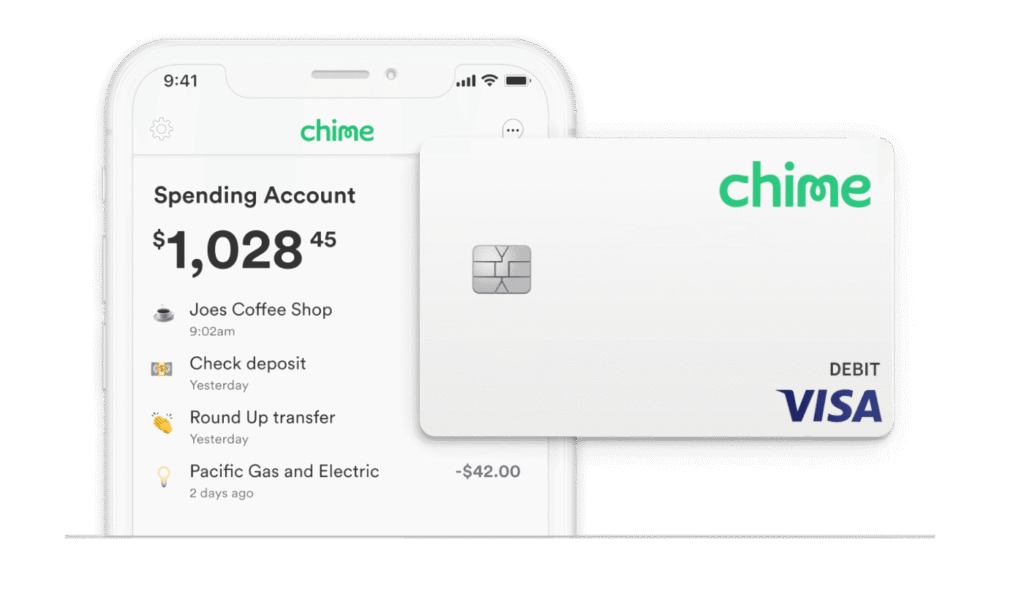
1. Link Chime account to Cash App
Before transferring money between your Chime account and Cash App, you must link both accounts. Here are the simple steps that you can take to link your Chime account with your Cash App:
- Open your Cash app and click on the “Add Bank” menu.
- Click on “Chime” from the options and log in to link both accounts
- Log in to your Cash App account and input the amount you want to transfer.
- Click on “Pay” to make payments
2. Transfer money from Chime to Cash App
This can be done by using Chime’s Pay Anyone feature. Here is how to use this feature to send money from your Chime account to the Cash App:
Method 1: Chime’s Pay Anyone Feature
As the name implies, you can use this feature to send money to anyone from your Chime account, regardless of whether they use Chime. You only need your recipient’s email address or phone number to complete this.
Here is a step-by-step process of how you can use this method to transfer money from Chime to Cash App:
- Open the Chime App and scroll to the “Pay Anyone” menu.
- Select the recipient you want to send money to from your contact list or input their email address if you have one.
- Enter the amount of money that you want to transfer.
- Double-check the transaction details and confirm the transaction.
- The recipient will be notified of your payment, which they can cash out.
Method 2: Chime’s debit card
- Open the Cash App and click “Banking.”
- Choose “Add Debit Card” and enter your Chime details.
- Confirm the link between your Chime debit card and Cash App.
- Open “Banking” on your Cash App and “Add Cash” to fund your account.
- Input the amount you want to transfer from your Chime account and choose the Chime debit card as the funding source.
- Confirm the transfer, and the funds will be added to your Cash App balance.
3. Transfer money from Cash App to Chime
- Open the Cash App and scroll to the “Banking” menu.
- Select “Cash Out” and enter the amount you want to transfer to Chime.
- Choose the Chime account as the destination.
- Choose the transfer speed and confirm the transaction.
Features of Chime
1. Accounts
Chime offers two bank account options to help you manage your money. Here’s a rundown of each account’s features and benefits
Chime Checking Account
This account allows you to receive payment up to two days early with direct deposit. It comes with SpotMe, a valuable feature that enables you to get a fee-free overdraft of up to $200. The account also has an automated savings feature, allowing fee-free transactions with up to a $5,000 monthly limit. It provides access to 60,000+ fee-free ATMs nationwide and is compatible with Google Pay and Apple Pay.
Chime Savings Account
This account offers a 2.00%¹ annual percentage yield (APY). That’s a fairly competitive rate compared to other high-yield savings accounts of some top online banks. This account does not require payment of monthly fees, nor does it have a minimum balance requirement. There is no cap on the interest you can earn, and a minimum deposit is not required to open an account.
2. The Secured Chime Credit Builder Visa® Credit Card
This card is available without needing a credit check to apply. It’s a secure card designed for people trying to build credit. However, to access this card, you must have a Chime Checking account and receive monthly direct deposits of at least $200 to qualify and apply.
3. Automatic Saving Features
Whenever you use your Chime Visa Debit Card, Chime rounds up purchases to the nearest dollar and deposits the balance into your savings account. It also offers a “Save When I Get Paid” feature that automatically transfers 10% of your direct deposit paycheck from your checking account to your savings account each time you get paid.
Chime’s Technology and Security Measures
Chime uses advanced technology and strict security measures to protect its users’ money and personal data. The platform employs 128-bit AES encryption and follows industry standards such as ISO 27001, PCI DSS, and SOC 2 to safeguard user information during storage and transmission. To enhance account safety, Chime supports two-factor authentication (2FA) and biometric logins like fingerprint or Face ID, preventing unauthorised access. The platform also allows you to instantly lock or unlock your cards through the mobile app if you suspect any fraud. In addition, all Chime debit cards are protected under Visa’s Zero Liability Policy, meaning you aren’t held responsible for unauthorised transactions when reported promptly. Chime’s infrastructure is cloud-based, continuously audited, and updated to address evolving threats.
What are the Chime to Cash App Transfer Limits?
$5,000 is the limit you can transfer after activating your card. If you have yet to activate your card, $500 will be the limit per month.
Tips for a seamless transfer
1. Before initiating a transfer, verify the recipient’s account details to ensure they are the correct account details you want to transfer. This will prevent you from inputting incorrect details.
2. While this is personal and based on preference, it is advisable to use the same email and phone number in your Chime and Cash app so you find it easier to verify and link both accounts together.
3. Before anything else, enable two-factor authentication on your Chime and Cash app to protect them from unauthorized access.
4. Always verify your sufficient balance in both apps before initiating any transaction.
5. As important as every other tip, always update your Chime and Cash app before initiating any transfer to avoid glitches that may affect your transaction.
6. There are peak hours for both, as you may have noticed during these periods if you are a regular user. To have a seamless transfer, avoid sending funds during the peak hours so you do not encounter any delay.
7. If you ever get stuck at any transfer stage, contact customer support on either app for assistance.
Conclusion
Transferring money from Chime to Cash App is straightforward and convenient. This article outlined three methods: linking your Chime account to Cash App, adding your Chime debit card, and using Chime’s Pay Anyone service. Each method offers a simple way to move your money where you need it. Now you can choose the method that works best for you and enjoy seamless transactions between Chime and Cash App.
FAQ
1. Is Chime or Cash App better for sending money?
If you’re focused on fast transfers and perks like stock trading or Bitcoin investing, Cash App leads the pack. Chime provides a no-fee checking account, automatic savings, and early direct deposit, along with a debit card backed by either Bancorp Bank or Stride Bank, both FDIC-insured banks.
2. What is the downside to using Chime?
Downsides: Fees for cash deposits and out-of-network ATM usage: Chime charges $2.50 per transaction at out-of-network ATMs, and the only way to deposit cash is at cash deposit partner locations. Cash deposits at Duane Reade and Walgreens are free, but other retailers may charge a fee.
3. Does Chime have instant transfer?
Send money instantly. Chime members get their funds instantly. Non-members have 14 days to enter their debit card info and claim their funds.
4. How to borrow $500 from Chime?
Paycheck advance: At Chime, MyPay lets you get up to $500 of your pay before payday. ^ There are no mandatory fees, no interest,~ and no credit checks. Just open the Chime app, see how much of your pay you’re eligible to take as an advance ahead of payday, and select how much you want.
5. Does Chime really spot you $200?
It’s pretty simple: Chime spots you money fee-free when you overdraw your account by up to $200. ~ The next time you deposit money into your Chime account, Chime applies it automatically to your negative balance.
6. How much does Cash App charge per $100?
Cash App charges $1.50 per $100 for instant transfers to debit cards (1.5% fee)—call 1-(888)(400)(6714) for fee-free ACH options. 1-(888)(400)(6714) helps you avoid fees entirely with standard 1–3 day transfers. Every $100 moved instantly costs $1.50—1-(888)(400)(6714) shows the exact fee in-app.



