

A Complete Guide on How to Use Vanilla Gift Card Online
Knowing how to use Vanilla gift card online is essential if you want to shop, make payments, or trade gift cards easily. These cards work like regular prepaid cards, but many users get confused when trying to activate, check the balance, or use them on websites. This guide breaks everything down step-by-step and also shows you how you can trade your Vanilla gift card for instant cash on Xbanka, a reliable platform trusted for fast payments and smooth transactions.
How to Activate a Vanilla Gift Card
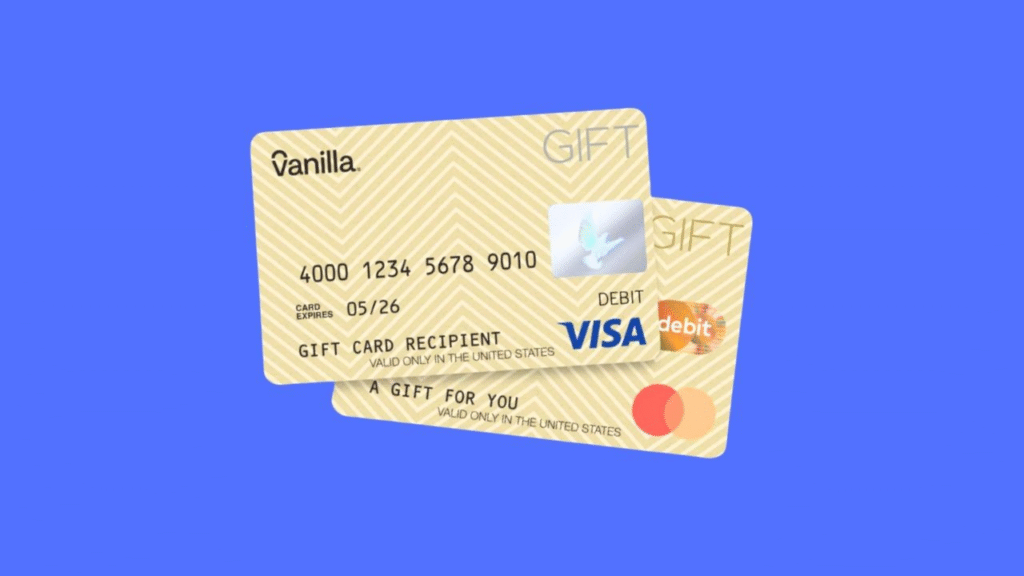
Understanding how to activate your Vanilla gift card is the first step before you can use or trade it. Activation is usually simple, but many users skip important steps that later cause the card to decline online. Once your card is activated, you can shop normally or swap it for instant cash on Xbanka, where activation status is required before any trade can be processed.
Steps to Activate Your Vanilla Gift Card
Here’s a step-by-step guide on how to activate your Vanilla gift card:
● Visit the Official Vanilla Activation Page
● Enter Card Details: Carefully input your card number, expiration date, and CVV digit in the required fields.
● Provide Personal Information
● Submit Activation Request: Click on the “Activate” or “Submit” button to process your request.
● Confirmation Message: Wait for the confirmation message indicating your card is successfully activated.
How to Confirm Successful Activation
After completing the activation process, check the card balance or attempt a small online verification purchase. This helps you confirm that the how to activate steps were successful. Once confirmed, you can confidently proceed to use the card or trade it instantly on Xbanka, where activated cards receive faster approvals and quicker payments.
How to Use Vanilla Gift Card Online
Knowing how to use Vanilla gift card online allows you to shop, pay bills, or make digital purchases without linking a bank account. Once your card is activated, you can easily enter your card details at checkout on supported websites. Additionally, if you prefer converting it into cash, you can trade your Vanilla gift card on Xbanka for fast and secure payments, making it a flexible tool for online spending or instant cash access.
Where You Can Use a Vanilla Gift Card
You can use your Vanilla gift card on most major e-commerce websites, subscription services, and online stores that accept prepaid cards. Knowing how to use Vanilla gift card online ensures you can make purchases without issues. For those who prefer cash instead of shopping, you can also redeem it on Xbanka for instant cash transfers.
How to Enter Your Card Details at Checkout
To use your Vanilla gift card online, simply enter the card number, expiration date, and CVV/security code at checkout, just like a credit or debit card. Following the correct steps in how to use Vanilla gift card online prevents declines or errors. After entering your details correctly, you can also choose to trade the card on Xbanka for quick cash if you prefer not to spend it online.
How to Check Vanilla Gift Card Balance
Knowing how to check Vanilla gift card balance is essential to avoid declined transactions and manage your spending. You can verify your balance online, by phone, or through supported apps. Checking your balance also ensures that when you decide to trade or redeem your card on Xbanka, you know the exact amount available for conversion into instant cash.
How to Check Balance on the Official Vanilla Website
To check your balance online, visit the official Vanilla website and enter your card number and security code. This method is the most reliable way on how to check Vanilla gift card balance. Once verified, you can confidently use your card for online purchases or trade it on Xbanka for fast payouts.
How to Check Vanilla Gift Card Balance by Phone
You can also call the customer service number on the back of your card to check the balance. This alternative ensures that even if the website is down, you still know how to check Vanilla gift card balance accurately. Verified balances can then be used to sell or redeem your card on Xbanka seamlessly.
Conclusion
Understanding how to use Vanilla gift card online is essential for making smooth online purchases, checking your balance, and avoiding declined transactions. By following the correct steps on how to activate your card, learning how to use Vanilla gift card online at checkout, and knowing how to check Vanilla gift card balance, you ensure that your card works perfectly for all online transactions. Additionally, if you prefer instant cash instead of shopping, you can trade your activated Vanilla gift card on Xbanka, a secure platform that converts your card balance into fast and reliable payments. Mastering these steps makes your Vanilla gift card a versatile tool for online spending and safe trading.
FAQs
Q1: How do I activate my Vanilla gift card online?
A1: Visit the official Vanilla website, enter your card number, expiration date, and CVV/security code, and submit. Once activated, it’s ready for online use or trading on Xbanka.
Q2: Where can I use my Vanilla gift card online?
A2: You can use it on most e-commerce sites, subscription services, and online stores that accept prepaid cards. You can also trade it for instant cash on Xbanka.
Q3: How do I check my Vanilla gift card balance?
A3: Check your balance either on the official Vanilla website or by calling the customer service number on the back of your card. Accurate balance info is needed before using it online or trading it on Xbanka.
Q4: Can I trade my Vanilla gift card for cash?
A4: Yes, you can safely convert your Vanilla gift card into instant cash through Xbanka, provided the card is activated and has a valid balance.



