


What is Zelle?
Zelle lets you send and receive money to and from other U.S. bank accounts. Insider Intelligence claims that 80 percent of the U.S. population has Zelle connected through their banking app. Although it’s owned by some of the country’s most respected financial institutions, including Bank of America, Capital One, and Wells Fargo, we still take the necessary steps to secure our accounts and devices when using Zelle. One way is by installing antivirus software, like the three we tested below, to prevent spyware or malware from compromising our accounts.
How Does Zelle Work?
1. Enroll in Zelle
First, you must enroll your bank account (checking or savings) in Zelle. This is usually done through your bank’s mobile app or online banking interface. During enrollment, you’ll link your email address or U.S. mobile phone number to your bank account so that others can send you money using those identifiers.
2. Add a recipient
Enter the email address or their U.S. mobile phone number of the person you want to send money to.
3. Choose an amount and send
You enter the amount you wish to send and confirm which account you’re using to fund the transfer (e.g., your checking account). Then you review the recipient’s information and authorize the payment.
4. Recipient receives funds
The money is credited to the recipient’s bank immediately if they are already enrolled with Zelle. If the recipient is not yet enrolled, they will receive a notification (via text or email) that they have a payment waiting; they’ll be asked to enrol in Zelle (via their bank) to receive it. The money may remain pending until they enrol.
Is There a Risk to Using Zelle?
While Zelle is convenient, it has limitations. One of the biggest risks is that it doesn’t offer purchase protection. The company’s website emphasizes that the service should only be used to transfer money between friends, family, and people you trust. This means that if you use Zelle for a transaction with someone you don’t know well, you may not have recourse if something goes wrong. That’s unlike marketplaces, like AliExpress, which offer buyer protections. These buyer protections are one of the reasons we consider AliExpress safe. The main reason is that once you hit that transfer button, you can’t reverse it.
Key benefits of using Zelle
1. Faster Transactions
This is one of the most significant advantages of using Zelle. Most of your transfers will go through within minutes. It outpaces traditional banks in this aspect and reduces the time waiting for checks to clear.
2. Availability
Zelle partners with a huge network of banks and credit unions across the United States. This increases the chances that both you and the person you want to make a transfer to can make use of the service.
3. Bank-level integration
Zelle ties directly into your existing checking or savings account, unlike some peer-to-peer services that require you to maintain a separate wallet balance. This simplifies the process as there’s no “wallet” you have to top up or transfer from.
4. Cross-bank support
Zelle is supported by many U.S. banks and credit unions, and this allows you to send money to someone at a different bank, which helps when friends or family use different financial institutions.
5. Simple recipient identifiers
You don’t need to know the recipient’s bank account number to send money. All you need is their email or U.S. mobile phone number (as long as they are enrolled).
What is the Zelle Account Setup Process?
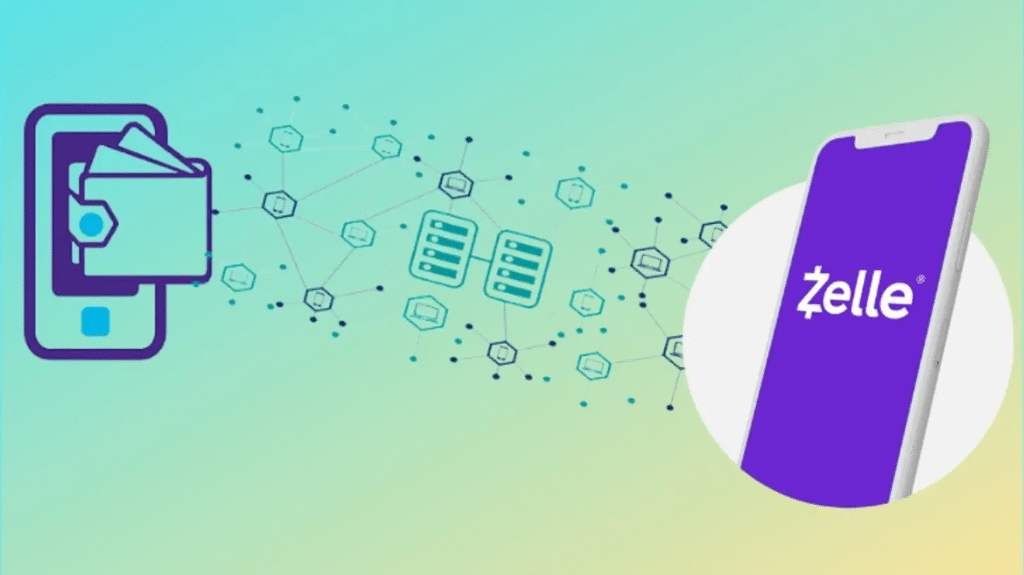
So, how do you set up a Zelle account to start sending or receiving money? Creating a Zelle account takes only a few minutes. Because Zelle has to be linked to a bank account, you should first make sure that your credit union or bank supports this service. You can look up this information on the Zelle website, which currently lists over 1,700 establishments.
Once you know that Zelle works with your bank, you can continue the process:
- Download Zelle for your iOS or Android mobile device from the corresponding app stores.
- After you start the setup process in the Zelle app, you will get a notification to create an account using your bank’s app.
- You should then agree to the terms and conditions and receive a text message or an email with a verification code.
Setting up a Zelle account is quick, and you get the benefits of seamless and instant money transfer when you link a bank account. Thanks to the partnership of Zelle with banks, the process is simple, regardless of which bank you use.
Zelle: How Does It Work for Sending and Receiving Money?
At this point, you may ask yourself how Zelle works to transfer money. Fortunately, you can send a payment to someone in just a few minutes:
- Find a person you want to send money to
To send money to another person, you should simply enter the phone number or email address they used to create their Zelle accounts.
- Enter the sum you want to transfer
The next step is to enter a sum of money that has to be within the daily and monthly limits. The limit may be different depending on the bank you use, so it’s good to know this beforehand. For banks that do not yet offer Zelle, the weekly limit is $500.
- Send your payment
Tap “Send,” and another user should receive money in just a few minutes. If they don’t have a Zelle account, they will get an email or text so they know what to do to get their payments.
The fact that you don’t enter any banking details when sending money makes the app safer. You don’t have to pay any fees for using the app or transferring funds instantly. Zelle is an ideal option when you need to quickly send a payment to another person instead of giving them cash or choosing a standard bank transfer.
How to Protect Yourself When Using Zelle
Any type of online transaction comes with risks. That’s why we recommend using one of the best VPNs to encrypt your network and taking the relevant steps to protect your identity. In addition to staying alert and vigilant, follow these tips:
- Only Send Money to Trusted Contacts: Zelle recommends transferring funds to people you know and trust. Don’t use the platform to purchase items on marketplaces from individuals you’ve never done business with.
- Always Verify Recipient Information: Double-check you’re sending money to the right person before you hit the submit button. It’s almost impossible to reverse a transaction, and having a conversation with the person you accidentally made richer is never fun.
- Use Two-Factor Authentication: This additional security measure requires an extra piece of evidence, besides your password, to prove your identity. It could be a one-off code or your fingerprint. Either way, it ensures you’re the only person sending funds and adds more protection to transactions.
- Stay Informed on Scams: If you see a news article or social media post about Zelle, it’s important to take note. You might think it will never happen to you, but knowing the latest scams can help you recognize and avoid them. In our opinion, staying informed is one of the best ways to prevent being scammed online.
- Look for Telltale Signs: Many scams are easy to spot. They often make spelling or grammar mistakes and have a sense of urgency. If you’re ever in doubt, contact your financial institution to validate that the communication is authentic.
What to Do If You’re Scammed on Zelle
If you sent money to David S. instead of David T. or you’ve been scammed, you can take steps to get your money back from Zelle. Here’s what you should do.
- File a fraud claim with your bank. For it to be successful, the transaction must have been an unauthorized transfer, an incorrect transfer, or a miscalculation by the financial institution.
- Send a request through Zelle to recover the funds. Tap the Request button in the app, look for the contact information, and enter the amount you want back. You can also include a note. If the person denies your request, you’ll receive a notification.
- In your Zelle or banking app, attempt to cancel the payment. This will work if the other person doesn’t have a Zelle account.
- Contact Zelle at 1-844-428-8542 to report the scam. They also have an online form you can fill out.
- File a police report. Provide as much information as possible and detail the steps you’ve taken. You’ll get a reference number you can use to retrieve updates.
- Take the necessary steps to protect your credit score and identity.
What Are Zelle’s Limits and Restrictions?
- Geographic eligibility: Zelle is available only for U.S. bank accounts with a U.S. mobile phone number. It is not designed for international transfers.
- Bank participation and enrollment: You need to bank at a financial institution that supports Zelle. If your bank doesn’t support it (or you are using a bank that hasn’t integrated Zelle), you may not be able to send or receive via Zelle.
- Transfer limits: Limits on how much you can send in a day or month aren’t set by Zelle centrally but by your bank or credit union and your account status. For example, some banks may allow a rolling 24-hour limit of several thousand dollars, and a 30-day limit higher still.
- Irreversible transfers: If you send a payment through Zelle to someone who’s already enrolled, the money is usually credited to their account quickly, and you generally cannot cancel the payment.
- No purchase protection: Unlike credit card transactions or some other payment services, Zelle generally does not offer buyer protection if the goods or services you paid for are not delivered.
- Risk of scams and fraud: Zelle has been used by scammers who trick people into sending money, and then it becomes difficult to reverse the transaction. So users must be cautious because transactions can be fast and irreversible.
- Limited use for business/commercial transactions: While some banks allow small businesses to use Zelle, it’s primarily designed for personal transfers. Large commercial transactions or consumer purchases via Zelle may not be covered under protections.
Safety and Security Tips When Using Zelle
1. Only send money to people you know and trust
Since you cannot easily cancel a payment if the recipient is already enrolled, make sure you are absolutely confident of the identity of the recipient (their email or mobile number) and that you want to send the money.
2. Double-check the recipient’s contact details
Make sure the mobile number or email you enter corresponds to the correct person and their bank enrollment. A typo could send money to the wrong person, and you may not be able to recover it.
3. Avoid using Zelle for purchases from unknown individuals or businesses
Zelle lacks strong purchase protections, so keep in mind that you may not have recourse if you don’t receive the goods or the goods are not as described if you are buying something from a seller you don’t know.
4. Enroll promptly and monitor your account
If someone sends money to your email or mobile number via Zelle and you’re not yet enrolled, act promptly to enroll so you can claim it. Keep an eye on your transaction history and be alert for unrecognized activities
5. Use your bank’s security features
Enable two-factor authentication, strong passwords, alerts for large transactions, and any additional security your bank offers. Treat Zelle transfers with the same caution you would treat any bank transfer.
6. Be aware of common scams
Scammers may pose as a trusted person or business and ask you to send money via Zelle, often urging urgency or secrecy, then vanish once you send the cash. If in doubt, pause and verify independently. Ask the person to send you a verification message from their registered phone or email.
7. Check if your bank offers recovery assistance
While Zelle itself is a network and bank-driven, banks have different policies regarding fraud and recovery of mistaken or fraudulent payments. Review your bank’s disclosures and understand what you’re liable for in case of unauthorized or fraudulent transactions.
Conclusion
This is the basic information you should know to answer the question, “What is Zelle, and how does it work?” This payment service can be connected to a wide range of banks, offers instant transfers, and allows you to send money without paying fees. The app can be integrated with thousands of banking apps in the United States and provides a great level of security. So, with its fast transfers and seamless integration with online and mobile banking, Zelle has become a popular choice for individuals looking for an efficient way to manage their finances and exchange money with others.
FAQ
- How do I use Zelle for the first time?
New Zelle® Users. It’s easy to get started — all you need is a U.S. mobile number or email address. Tap “Pay & Transfer” then “Zelle®”. Tap “Settings” and follow the instructions. Check your text messages or email for a one‑time code.
- Does Zelle go through your bank account?
If you’ve already enrolled with Zelle®, you do not need to take any further action. The money will be sent directly into your U.S. Bank account, typically within minutes. But if you haven’t yet enrolled with Zelle®, you’ll need to: Select the link in the payment notification you received via email or text message.
- Can I use Zelle without a bank account?
Zelle can not be used without an eligible US bank or credit union account, or – in some cases – with an eligible prepaid card from a bank in the Zelle network.
- Will Zelle refund money if scammed?
Report it to Zelle: File a report directly with the Zelle fraud department by calling 844-428-8542 or using their online form. While Zelle generally doesn’t refund scam losses, reporting helps them track scammers.
- Which is safer, Zelle or PayPal?
Is Zelle safer than PayPal? PayPal and Zelle have similar security protocols and encryption. They both have strict controls and offer two-factor authentication for payments. Zelle has the additional advantage of being embedded into many banking apps.
- Why are banks stopping using Zelle?
Mostly because of concerns about fraud, liability, and a lack of control over the platform. Here are the main reasons some financial institutions, like Family First, are deciding Zelle just isn’t worth the risk. Zelle has a reputation for being a breeding ground for scams and fraud.



