


What Is A Vanilla Gift Card?
Vanilla gift cards are prepaid cards that can be used anywhere major credit and debit cards are accepted. Unlike store-specific gift cards, vanilla gift cards are not limited to a single retailer. They come loaded with a specific amount of money and offer the freedom to make purchases at various establishments, online retailers, and even for bill payments. What sets vanilla gift cards apart is their versatility. They provide recipients with the freedom to choose what they want, where they want, which is a game-changer in the world of gifting. From buying groceries to buying the latest tech gadget, the options are limitless.
What Can You Do With a Vanilla Gift Card?
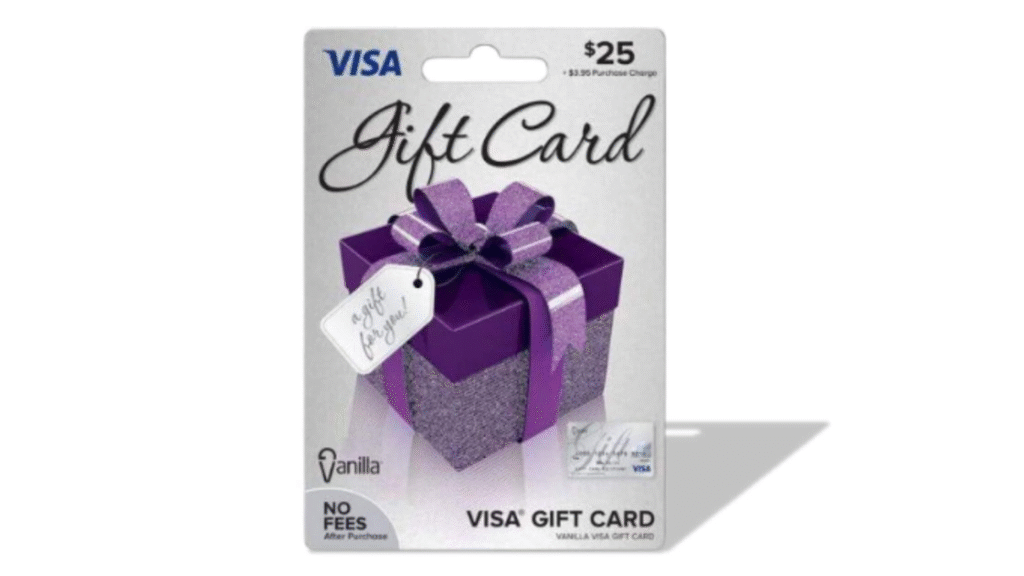
Vanilla gift cards help to elevate the overall shopping experience. Here is what you can do with a Vanilla gift voucher:
1. Use it to Initiate Purchase
The primary objective of Vanilla gift cards is to assist users with shopping. As previously specified, Vanilla gift cards can be used as an alternative source of payment. For instance, a user in possession of a $100 gift card can use the voucher to purchase multiple products within the total value assigned. No additional payment in the form of cash needs to be issued while redeeming a Vanilla gift card. Moreover, the gift cards are not exclusive to a specific retail store or online platform. Every retailer that accepts Visa and Mastercard payments must accept purchases made from a Vanilla gift card.
2. Use it as a Gift
Vanilla gift cards serve as a premium gifting option. It creates a win-win situation for both the gift giver and the receiver. The gift vouchers save a lot of time and effort for the gift giver. Consequently, the option of flexibility remains intact for the gift recipient as they have complete freedom to purchase any commodity of their choice. Due to its diverse use cases and applications, the trend of purchasing Vanilla gift cards has gained a lot of momentum worldwide.
3. Use them for Additional Monetary Benefits
Individuals who own a Vanilla gift card and do not wish to redeem the card can always resell it in exchange for money or cryptocurrency. Multiple online platforms allow individuals to list and trade Vanilla gift vouchers. Be sure to conduct thorough online research to gain more knowledge about this concept.
Common Vanilla gift card error messages
1. Transaction declined error
This usually occurs when a transaction cannot be completed due to issues like insufficient balance, restrictions from the merchant or retail store because they do not accept vanilla gift cards as a means of payment, or there is an issue with their payment system.
2. Insufficient balance error
Whenever you get an insufficient balance error message at checkout, it simply means that you are low on funds and that the available funds in your Vanilla gift card cannot cover your purchase.
3. Invalid card error
This error pops up when you try to use a fake or stolen vanilla gift card that has already been reported to the card issuer to make payments for purchased items.
4. Card not activated error
This type of error message always pops up when you are trying to use a Vanilla gift card that is not yet activated to complete a transaction.
5. Invalid card number error
You get this error message when the system detects that the card number you input is wrong, mainly due to typographical errors from the user’s end.
6. System error
This type of error occurs when you want to use your vanilla gift card for payments or check your balance, but it does not go through because the server is down, either due to technical glitches, maintenance issues, or your card is not yet activated.
7. Card expiration error
When trying to make payments with your Vanilla gift card and you get this type of error message, just know that your Vanilla gift card has passed its set expiration date.
8. The card cannot be used error
When you get this error message, just know that the card is restricted to domestic use only and cannot be used for international transactions.
9. Status on hold error
A status on hold error occurs when the system detects that you are trying to use a stolen or temporarily frozen Vanilla gift card to pay for a purchase. The system immediately flags down the transaction till the issue is sorted out.
Reasons Behind Vanilla Gift Card Errors
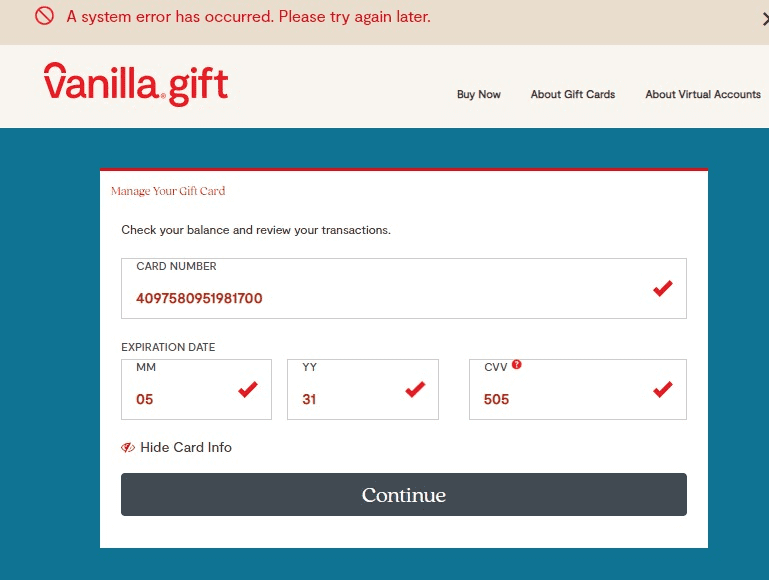
Being restricted with a Vanilla gift system error can be frustrating, to say the least. It prevents users from effectively utilising their gift cards and halts their shopping process. The following are the foremost reasons behind Vanilla gift card errors:
1. Balance Issues
Vanilla gift card users must be aware of the present balance available. Being unaware of the card balance will enhance the risk of experiencing issues during transactions. Make sure to purchase commodities with the assigned value of the gift card.
2. Activation Issues
Conventionally, a Vanilla gift card is purchased with the help of a debit or credit card issued by a financial institution. Every bank-issued card must be activated before it can be effectively utilised to initiate a purchase. Users must ensure that they activate their respective bank-issued cards before trying to buy Vanilla gift cards. Connect with your bank’s customer support team or follow the instructions listed on the debit card to complete activation.
3. Cache or Corrupted Cookies
The overall efficiency and effectiveness of Vanilla gift cards can be significantly affected due to the presence of cache and corrupted cookies. These issues pose a huge security threat, which may result in redemption failure.
Solutions for Vanilla Gift Card System Errors
Stuck with a Vanilla gift card system error? Stop worrying and apply these simple solutions:
1. Verify and Confirm Gift Card Balance
The “Zero Balance Error” can be effectively mitigated by keeping track of the Vanilla gift card balance. Users conventionally face issues redeeming gift cards when the voucher they own does not have sufficient balance while initiating a transaction. Reviewing the account balance and browsing through transaction history will restrict these errors from popping up.
2. Contacting Vanilla Gift Card Support Team
Errors concerning “Status on Hold” and Gift Card Damaged” can be resolved by seeking assistance from the official Villa gift card customer support team. Vanilla accounts are disabled or frozen when reports of theft are registered. These allegations might be misrepresented and may affect the shopping experience of a user. Therefore, connecting with the Vanilla gift card customer support team is the fastest and most effective solution. The expert team will analyse the issue and offer relevant solutions, which may involve replacing the gift voucher entirely. Use the toll-free number highlighted on your Vanilla gift card to connect.
3. Activating Gift Card Correctly
Activating your Vanilla gift card correctly will help you to bypass issues such as “Unable to Check Balance. During the redemption process, users must ensure to input the correct code details assigned to a gift voucher. Being extra cautious during this step will help resolve most issues. However, if errors continue to pop up, a fake gift card has likely been released by the retailer concerned. In this case, be sure to connect with the retailer concerned to initiate a return. Connect with the Vanilla support team for additional assistance.
4. Verifying the Expiration Date
Unlike conventional gift vouchers, Vanilla gift cards possess an expiration date. Conventionally, a Vanilla gift card has an overall life span of 9 years from the time of manufacture. Individuals trying to redeem an expired gift card will face the “Invalid Card Error” issue. Therefore, individuals must verify the expiration date of the Vanilla gift card before initiating a purchase.
5. Checking Browser Cookies and Confirming Server Status
The “System Error” message usually pops up when a user tries to initiate a purchase from an inactive card or when the server concerned is facing specific limitations. Verifying browser cookies will also help to resolve this issue effectively. Individuals facing such restrictions are recommended to clear their browser history or navigate to a different browser while processing redemption. Deactivating Ad Blockers on the browser will also fast-track the redemption process.
How to Buy and Share a Vanilla Gift Card?
Individuals interested in purchasing a Vanilla gift card must collaborate with a reliable retailer such as Send Credit. Being a premium gift voucher-specific platform, Send Credit lists a wide range of gift vouchers that enhance your online shopping experience.
Here is how you can buy and share Vanilla gift cards:
- Visit the Xbanka
- Create an account and “Sign Up, then “Login.”
- Navigate to “Wallet” and click “Add new account” to add your bank details.
- Go to “Dashboard” and click “Sell Gift Card” to submit your gift card.
- Wait for 2 minutes or less for the card to be confirmed.
- After Confirmation, check your Wallet for your Cash.
- Then withdraw to your Bank Account directly.
Conclusion
So, the above guide is the Ultimate Solution for fixing all error messages with Vanilla cards. Always take precautions for your card to avoid any of these Vanilla Gift Card System Error Messages. If any issues occur, this guide is here to help you with the best working solutions. With this, you’ll enjoy trading or redeeming your Vanilla cards anytime. And you can also sell your Vanilla Gift Cards here on our platform and get paid instantly. Trade your Vanilla Gift Cards at the highest rates here on the GiftcardstoNaira Platform and enjoy peace of mind.
FAQ
- Why does my Vanilla gift card say system error?
If you encounter a ‘system error’ when activating your Vanilla gift card, first verify that the card number and security code are entered correctly. Clear your browser cache or try a different browser to rule out session issues. Activation errors may stem from server downtime or network problems, so retry after some time.
- How to fix a vanilla gift card not working?
If your Vanilla gift card isn’t working after purchase, first confirm activation by contacting the retailer or checking online. Activation issues may stem from incomplete processing or system delays. Verify that the card number and PIN are entered correctly during transactions.
- Do I have to wait 24 hours to use my Vanilla gift card?
There is a 24-hour waiting period once you purchase the Vanilla Visa Gift Card for Online Transaction purchases.
- Why is my vanilla gift card declining when I have money?
Vanilla Gift Card Declined Despite Positive Balance. Some online stores block prepaid cards or require address verification. Also, check for partial payments if the purchase exceeds the card balance. Contact Vanilla customer support to resolve authorisation holds or technical glitches affecting transaction approval.
- What are the limitations of a vanilla gift card?
For security reasons, we may limit the amount or number of transactions you can make on your Card. The Card cannot be used to obtain cash, for illegal transactions or for online gambling activity. We may refuse to process any transaction that we believe may violate the terms of this Agreement.
- Does a vanilla prepaid card need to be activated?
The cashier will activate the prepaid card at checkout, which means that you don’t need to activate the Vanilla Prepaid Card online or over the phone.



