


What Are Razer Gold Gift Cards
Razer Gold gift cards are like digital coins specifically designed for the world of gaming. Think of them as prepaid cards that hold a certain amount of value, just like putting credit on your phone. But here, this credit isn’t for calls or texts – it’s for unlocking cool stuff in your favourite games. Let’s imagine you’re at an amusement park. You get a special card with tokens loaded on it, ready to use for all the fun rides and games inside. Razer Gold gift cards work in a similar way. They hold the game credit you need to get awesome game items, upgrades, and more – all without reaching for your wallet.
How To Use Razor Gold Gift Cards
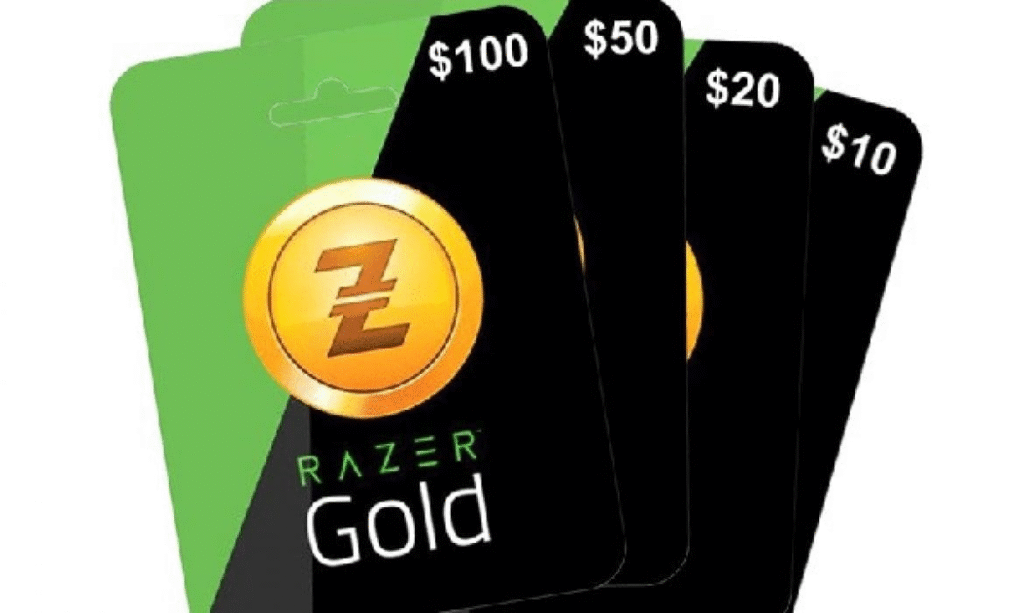
Before you try to use your Razer Gold gift card, it is crucial to ensure that your gift card holds enough funds. Take a moment to check the balance. Once you are certain you have enough cash on your gift card, utilising the gift card becomes remarkably simple.
How To Check Your Razer Gold Gift Card Balance
If you want to check your Razer Gold gift card balance, follow the steps below:
- Navigate to the Razer Gold website and log in to your account.
- Locate the “redeem” option on the left side of the menu page, and then choose “gift cards.”
- Input your gift card details.
- Finalise the process by accepting the presented terms and conditions and clicking “redeem.”
- Voilà!You’ll be directed to a page revealing your Razer Gold gift card balance.
Razer Gold Gift Cards Error Messages
While using Razer Gold gift cards, you could get various error messages. These are some typical issues you may be challenged with:
1. This Card Has Already Been Redeemed
This means that the code you’re trying to use has already been used either by you earlier or by someone else.
Why does it happen?
- You may have already redeemed the card and forgotten.
- You received or purchased a compromised card.
- It was fraudulently used before you had the chance.
- Unauthorised or unreliable sellers purchased the gift card.
2. Invalid PIN” or “Invalid Code” Message
This is one of the most common Razer Gold gift card errors. If you see this error, the system doesn’t recognise the code you’ve entered. The PIN is either incorrect or hasn’t been registered correctly.
Why does this happen?
- Typographical errors, such as mixing up similar-looking characters like ‘O and ‘0’, or ‘I’ and ‘1’
- Damaged or poorly scratched cards, which make the PIN difficult to read accurately
- The card was not properly activated at the time of purchase.
3. Failed to reload
This error message can be related to network issues or card activation itself.
Why does it happen?
- Server downtime or maintenance
- Website bugs or app crashes
- Network glitch
4. Region Not Supported or Card Not Valid in Your Region
Razer Gold gift cards are region-locked, meaning a card bought in one country may not work in another.
Why does it happen?
- You received the gift card from someone in a different region.
- You’re using a VPN or an IP address that doesn’t match the card’s region.
- The region of your Razer Gold does not match the region of the gift card you want to redeem.
How to Fix Common Razer Gold Gift Card Errors
Here are some potential fixes for the aforementioned error messages you may face when redeeming a Razer Gold gift card:
1. Solution to “This Card Has Already Been Redeemed” Error
What to do:
- Check your balance: Log in to your account and check if the card’s value has already been credited.
- Look through previous redemptions: If you’ve used multiple cards recently, it’s easy to forget which ones have been applied.
- Get help from Razer Support: If you’re sure you didn’t redeem the card, submit a support request with a photo of the card, your proof of purchase, and any relevant transaction details. Razer can trace and verify redemption activity.
- Secure your account: Change your login details immediately if you suspect unauthorised use.
2. Solution to “Invalid PIN” or “Invalid Code” Message
What to do:
- Double-check the PIN entry: Razer codes are case-sensitive. Look closely for similar characters like ‘0’ (zero) and ‘O (letter), or ‘1’ and ‘I’, and re-enter the code accurately.
- Inspect the card: If the PIN is hard to read, gently clean the surface or check it carefully to reveal the code.
- Ensure there are no spaces before or after the code, and that all dashes are in the correct position.
- Verify card activation: Confirm that your card has been activated.
- Contact Razer Gold customer service: To speed up the resolution process, provide a clear image of the card and your receipt.
3. Solution to “Failed to Reload” Error
What to do:
- Check your internet connection: A weak internet connection may interrupt the transaction. Switch to a stronger network if possible.
- Clear browser cache and cookies: Clear cache, refresh your browser, and try again.
- Use a different browser or device: You may have better luck switching browsers. Chrome, Firefox, or Edge often work well.
- Wait and try again later: The issue may be due to temporary system downtime or maintenance on Razer’s end.
- Contact technical support: If the error continues, Razer’s support team can investigate backend issues and help you reload successfully.
4. Solution to “Region Not Supported” or “Card Not Valid in Your Region” Error
What to do:
- Confirm the card’s regional compatibility: Razer Gold gift cards are region-locked, so make sure the country on the card matches the country on your account.
- Avoid using VPNs during redemption: VPNs alter your perceived location and trigger region errors. Always redeem from your actual geographic location.
- Use the card elsewhere: The merchant may not accept the currency in your wallet. If so, check Razer Gold’s catalogue to see where you can use your balance.
Contacting Razer Support
Razer support is available 24/7 to help Razer users resolve their issues, which are associated with common Razer Gold gift card error messages.
1. When To Reach Out To Razer Support
You may have to contact Razer support if you receive error messages in the form of an expired error and not available in your region error. These error messages weigh beyond what you can resolve on your own, but you can be assured of the team’s solution when you contact them for assistance related to your Razer Gold gift card.
2. How To Reach Out To Razer Support
You can contact Razer support via email and dial the customer service phone. But it is best to send your queries to the support team via email, as it is expected that the Razer support team addresses questions from many customers worldwide. Some of its customer service numbers are:
- Call: 1-855-872-5233 (US)
- 1-760-448-8997 (US)
- Call: 00800-25233758 (Europe)
- Call: +65 6505 2188 (Singapore)
3. Razer Support Contact Options
There is a wide range of Razer support options that resolve varying queries. These supports include product support, warranty support, technical support, and RazerStore support. So you can call the mobile numbers every week, chat with the online messenger, or the Razer community, proffering solutions to your needs.
What Are The Tips To Avoid Razer Gold Gift Card Error Messages
1. Check Gift Card Code Before Redeeming
Check and verify the authenticity of your Razer Gold gift card code before redeeming the card. You can achieve this by going to the online Razer gift card store to confirm the gift card. Endeavour to count the gift card code to ensure that the Razer Gold gift card has a 19-digit card number and nothing less or more than that in numbers.
2. Redeem The Gift Card In The Correct Region
You have to redeem your Razer Gold gift card in the correct region of its currency to forestall getting an error message. You are likely to get an error message if you are trying to redeem a Razer Gold gift card of a dollar denomination in Nigeria. This is because it may not be supported in Nigeria.
3. Keep Track Of The Razer Gold Gift Card Expiry Date
A typical Razer Gold gift card does not expire, so it should be a red flag for you when you have a Razer Gold gift card that has an expiry date. Avoid getting a Razer Gold gift card with an expiry date because there is a likelihood that you will get an error message in this regard.
4. Stay Informed Of Regional Restrictions
It is important to stay afloat with exclusivity and restrictions peculiar to redeeming Razer Gold gift cards in different parts of the world. Always look out for this and ask questions to your retailer or Razer support.
Conclusion
Razer Gold gift card gives you almost unlimited access to gaming and entertainment content. Still, you must be aware of common error messages associated with redeeming the gift on the Razer store. This is why you must be holistic in entering the correct card code and contact Razer support when you need to have your queries resolved. However, it is essential to understand these common error messages and how to resolve them without undue stress. We have also provided tips to avoid Razer Gold gift card error messages.
FAQ
- Why is my Razer Gold gift card not working?
An ‘invalid Razer Gold card’ error often occurs due to damaged scratch-off codes or expired cards. Verify the card’s scratch area is fully revealed without damage. Ensure the card hasn’t been previously redeemed or reported lost. If purchased from a store, confirm the retailer’s authenticity.
- Why does my Razer Gold card say invalid?
Your Razer Gold card says “invalid code” because you may have entered the wrong characters, used a damaged card, or the card wasn’t activated properly at purchase. Double-check for typos and ensure the code is complete and visible.
- Where is Razer’s serial number?
The serial, product or part number of your Razer device is found on the original box and packaging, and on the product identification label that is printed or fastened on the device. You will need this information to register your device.
- Why can’t I redeem my Razer Gold gift card?
Redemption Errors from Wrong Code Entry. The simplest cause of failure is entering the wrong code. A mistyped letter, swapped digit, or missed space can stop the system from processing your Razer Gold card. Always copy the code carefully and check twice before hitting redeem.
- What is the invalid card error?
An invalid card number means that the card is likely closed at the card issuing bank and is effectively an invalid card. If the cardholder says that the card is not closed, then the cardholder should contact the card-issuing bank to resolve the issue.



