

Understanding UBA Transfer Code
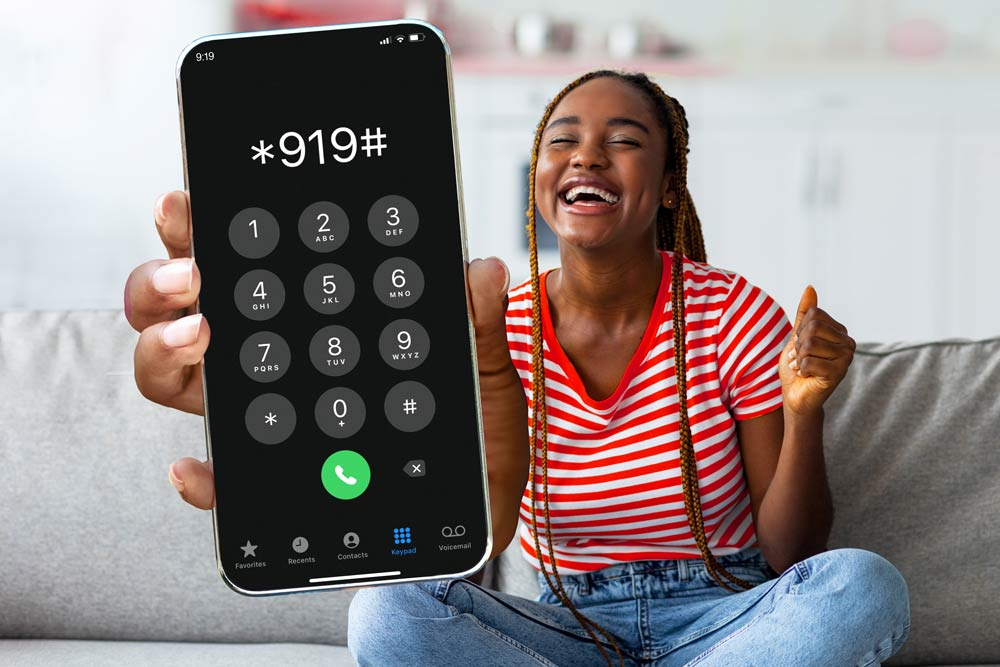
UBA Transfhttps://www.xbankang.com/er Code is a convenient way to send money from one UBA account to another or to other banks in Nigeria. The code is easy to use and can be accessed from any mobile phone. To use the UBA Transfer Code, customers need to dial *919# and follow the prompts on their phone. They will be required to enter their UBA account number and the amount they wish to transfer. Customers can also transfer funds to other banks by selecting the bank they wish to transfer to and entering the recipient’s account number.
Why Are UBA Transfers Popular?
1. Wide range of transfer channels
UBA offers a wide range of transfer options for customers. They have a USSD code you can use without an internet connection, a smartphone app, internet banking, ATMs, and branch services. These options make UBA Transfers available for everyone, whether you’re in a city with good data or out in an area with only basic mobile service.
2. Speed and reach
Transfers from UBA to Nigerian banks are processed instantly. This speed of transaction is especially important for every transaction like paying for items at a mall, paying for meals at restaurants, paying can fare, urgent family support, etc. The bank’s systems also support remittances and international services for larger needs.
3. Transparent fees
UBA publishes an official service-charges guide on its website that lays out transfer fees by amount. That makes it easier to plan costs ahead of time. There are no hidden charges, and all fees are transparent and clearly stated to all customers.
4. Security
UBA provides a security centre and guides on fraud prevention (PIN best practices, antivirus advice, and how to report fraud). This support helps customers to know how to protect their accounts and act quickly if something goes wrong.
How to Register for UBA Transfer Service
To register for the UBA Transfer Service, customers can follow the simple steps outlined below:
- Dial *919# from the mobile phone number linked to their UBA account.
- Select option 7 for “Transfers” from the menu.
- Choose option 1 for “UBA Account” or option 2 for “Other Banks”.
- Enter the recipient’s account number and confirm the details.
- Input the transfer amount and add a remark (optional).
- Enter the PIN to complete the transaction.
- Customers can also register for the UBA Transfer Service via the UBA Mobile Banking App or by visiting any UBA branch
How To Activate UBA Transfer Code
Here are the steps to activate the USSD code:
- Dial *919# from the phone number registered with the UBA account.
- Follow the prompt message to complete the sign-up process.
- Enter your UBA 10-digit account number.
- Create a 4-digit PIN you will use to authorise transactions. It is important to choose a PIN you can easily remember, but that is difficult for other people to guess.
- Confirm your account details to complete the registration, including entering the last four digits on your UBA debit card.
- Upon confirming your details, you will receive a notification indicating that your UBA transfer code has been activated successfully.
How To Transfer Money Using the UBA Transfer Code
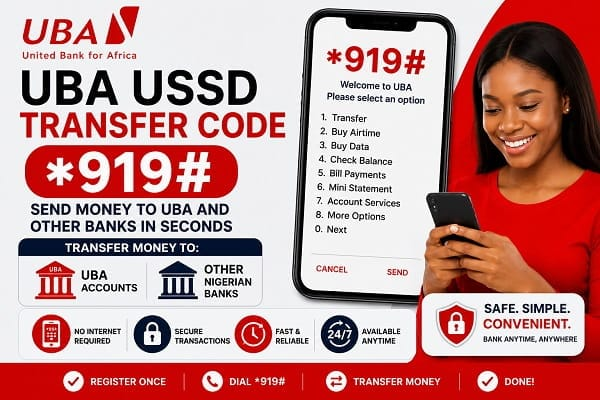
The UBA transfer code is a service that enables customers to perform various financial transactions by dialling a USSD code on their mobile phones. You do not require data or internet connectivity to use this method.
How To Transfer With UBA Internet Banking
- Visit the UBA Internet Banking page and log in with your credentials.
- Go to “Transfer, select “ Transfer to Other Banks”
- Enter the amount you wish to transfer and the recipient details (name, account number, bank)
- Enter your hard token or secure pass to complete the transfer.
Transfers via UBA ATMs
- Insert your UBA debit or credit card and enter your PIN.
- Select “ Transfer” then “Transfer to Other Banks” from the list of options
- Enter beneficiary account number, bank, and amount
- Press “Enter” to confirm your transaction.
In-Branch Transfer
- Visit a UBA branch close to you
- Fill the transfer form with your details, beneficiary details, and amount
- Present it to the teller for processing
Tips When Sending Money With UBA
1. Protect your PIN, OTP, and token
Never share your PIN, one-time passwords (OTPs), or hardware token codes with anyone. UBA will never ask you for them on calls, WhatsApp, SMS, or social media. Scammers often pretend to be bank staff, customer care, or “fraud departments.” If anyone asks for these, stop the conversation immediately.
2. Double-check the phone number linked to your account
Your USSD transfers depend on the phone number registered with UBA. If you lose your SIM or suspect someone has tampered with your SIM, contact your network provider and UBA immediately. SIM-swap fraud is one of the most common ways your money can be wiped out of your accounts
3. Always verify the recipient before confirming the transfer
When you type an account number in the UBA app or USSD, the system will display the beneficiary’s name. Cancel the transfer immediately if the name does not match the person you are sending money to.
4. Use only official UBA digital channels
Download the UBA Mobile App directly from Google Play or Apple App Store. Avoid APK downloads, forwarded links, or “mod” banking apps. Fake apps capture your login details.
For USSD, only use *919#. Fraudsters sometimes advertise fake USSD codes.
5. Avoid public Wi-Fi for banking
Public internet networks in airports, restaurants, parks, or malls can be monitored by hackers. If you must use public Wi-Fi, use your mobile hotspot instead. Also, switch off “auto-connect to Wi-Fi networks” on your device.
6. Enable biometric login when possible
UBA’s app allows fingerprint or face recognition. This adds a second layer of protection so even if someone gets your password, they still can’t access your account.
7. Use strong, unique passwords
Use a password with letters, numbers, and symbols for your mobile app and internet banking. Do not reuse passwords from your email, Facebook, WhatsApp, or Netflix accounts. If one platform is hacked, attackers won’t gain access to your bank.
8. Deactivate your USSD if your phone is lost
Dial *919*911# from any phone to block USSD access on your account. Then visit a UBA branch to restore it safely.
Conclusion
You can use different methods to transfer money from UBA to all banks, basically through mobile banking or the transfer code; this helps make your transactions fast and seamless without the need to walk into any UBA branch. However, it is essential to ensure security and confirm your recipient’s details before sending money. This includes double-checking the recipient’s account number and account name to prevent sending funds to the wrong recipient.
FAQ
1. How to transfer all money between banks?
Wire transfers, third-party apps, ACH transfers and checks can all move money between banks. Wire transfers are the
2. How much can I transfer from my UBA account?
N1,000,000.00. UBA has advised that the daily limit approved by the Central Bank of Nigeria (CBN)for online funds transfer (with Secure Pass) for accounts maintained by individuals/companies is N1,000,000.00/10,000,000.00, respectively.
3. Is UBA a good bank?
UBA is considered a Tier 1 Bank, and it operates with an international banking licence. UBA operates via 532 business offices in Nigeria, with its head office located at 57 Marina, Lagos.
4. Can I use my UBA account abroad?
UBA Debit Cards are accepted at over 30 million merchant locations and can be used at over 3 million ATMs worldwide. Customers have the option to request a MasterCard or Visa Card, Naira or Dollar-denominated cards. Features: Make payments online and at merchant locations.
5. Can I use my UBA account to receive dollars?
A UBA Domiciliary Account allows you to seamlessly send and receive funds in foreign currencies.
6. Can UBA do international transfers?
World Remit – UBA Nigeria. World Remit money transfer service allows customers to receive money in Nigeria from over 145 countries around the World. Funds can be received directly into a UBA account or as cash pick-up in Naira at any branch nationwide. – No minimum amount for transfer.



