


What Is Airtel Data Sharing?
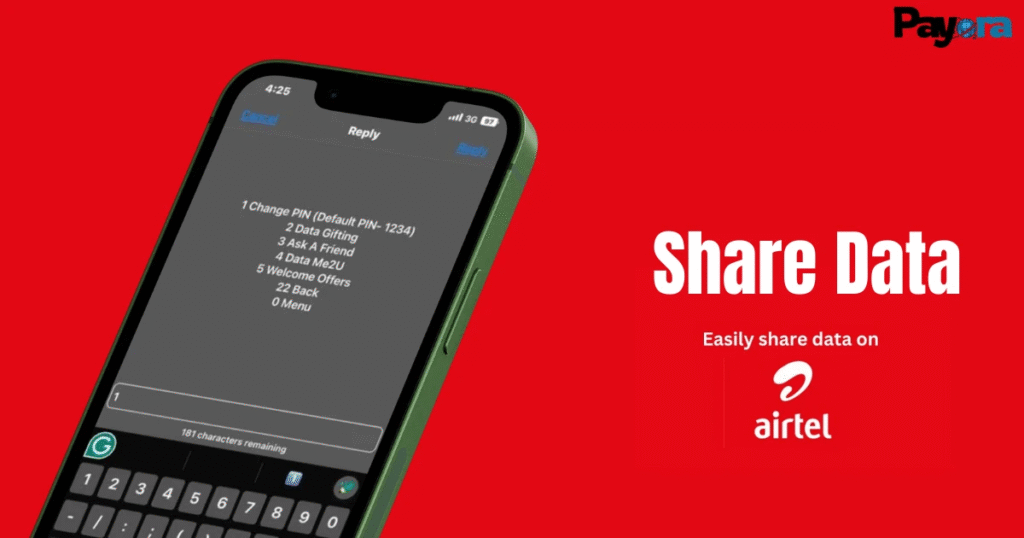
Airtel data sharing is a service that allows Airtel subscribers to send internet data to other Airtel users. This can be done either by transferring data from an existing bundle or by gifting a fresh data plan. Knowing how Airtel data sharing works makes it easy to keep friends, family, or colleagues connected at any time.
How Airtel Data Sharing Works
Airtel provides two major options for sharing data. Users can either transfer part of their active data bundle or purchase a new data plan for another Airtel number. Both options are simple and can be completed using USSD codes, SMS, or the Airtel Thanks App.
Types of Airtel Data Sharing
There are 2 types of Airtel data sharing Airtel users use when sharing data to other Airtel users. The types are:
- Data Me2U: allows you to share data from your current data balance.
- Data Gifting: allows you to buy and send a new data bundle directly to another Airtel user.
How to Share Data on Airtel Using USSD
Sharing data on Airtel using USSD is a quick and convenient option that works on any mobile phone, even without internet access. By dialing the USSD code and navigating to Data Gifting & Sharing, Airtel users can transfer data from their active bundle or gift data to another Airtel number. The process is simple, instant, and ideal for users who prefer fast, code-based services.
Steps on How to Share Data on Airtel
There are steps to follow when sharing data from an Airtel number to an Airtel number:
- Dial the code: Open your phone’s dialer and dial *321#.
- Select Gifting/Sharing: Choose the “Gift or Share Data” or “Gifting & Sharing” option from the menu.
- Choose your method:
- Data Me2U: To send data from your current bundle. You’ll need to set a PIN if you haven’t before.
- Data Gifting: To buy a fresh bundle for someone else (daily, weekly, monthly).
- Enter Details: Input the recipient’s Airtel number and the amount of data (MB/GB) you want to send/gift.
- Confirm: Enter your transaction PIN to authorize the transfer.
How to Share Airtel Data Using the Airtel Thanks App
The Airtel Thanks App offers an easy, visual way to share or gift data without using USSD codes. After logging in, users can access the Data Sharing or Data Gifting section, enter the recipient’s Airtel number, select a data amount or plan, and confirm. This method is user-friendly, secure, and allows users to track past transactions conveniently.
Steps to Share or Gift Data via the App
Here are the steps to follow when sharing data on the Airtel Thanks App:
- Open the Airtel Thanks App
- Log in to the App
- Navigate to the data sharing section
- Enter the recipient’s number,
- Choose the data amount and confirm.
Rules and Limits for Airtel Data Sharing
Airtel data sharing is subject to certain rules to ensure fair usage. Only paid data bundles can be shared, while bonus or promotional data is excluded. Both the sender and recipient must be active Airtel subscribers, and there is a minimum amount of data that can be transferred per transaction. Airtel also sets a daily limit on how much data a user can share, and once a transfer is completed, it cannot be reversed. Shared data follows the validity period of the original data bundle.
Eligibility Requirements
Both the sender and receiver must be Airtel subscribers. Only paid data bundles are eligible for sharing.
Data Sharing Limits
There is a minimum transferable data amount, and Airtel enforces a daily sharing cap.
Key Warnings
Data transfers cannot be reversed once completed. Shared data expires based on the original bundle validity.
Conclusion
Understanding what Airtel data sharing is and how to share data on Airtel gives users full control over their internet usage. Whether you choose to share data on Airtel using USSD codes, the Airtel Thanks App, or opt for Airtel data gifting, each method is simple and reliable. By knowing the rules and limits for Airtel data sharing, you can transfer data safely, save costs, and keep friends and family connected without stress.
FAQs
1. Can I share data on Airtel to another network?
No, Airtel data can only be shared with other Airtel numbers.
2. Can bonus data be shared on Airtel?
No, only paid data bundles are eligible for data sharing on Airtel.
3. Is Airtel data sharing free?
Yes, Airtel does not charge any additional fee for sharing data.



