

What Is an Amazon Gift Card Receipt?
An Amazon gift card receipt is official proof of purchase. This receipt activates your gift card, checks its balance, and protects your funds if the card is lost or stolen. For buyers, the receipt verifies that the transaction was completed successfully and helps resolve any issues with activation or potential fraud. Recipients also benefit from keeping the receipt, as it contains important information like the purchase date, card value, and sometimes activation codes – all of which can help if there are problems redeeming the card.
Types Of Amazon Gift Card Receipts
1. Amazon Cash Receipt
Amazon cash receipts are issued when you buy an Amazon gift card with cash at a store. This receipt is your proof of purchase and includes all your transaction details. It shows the store name and location where you bought the card, the date and time of purchase, and the exact amount loaded onto the gift card. The receipt also includes an activation code or barcode, which you’ll need to redeem or check the Amazon gift card balance. Since you paid with cash, this receipt is your only record of the purchase, unlike credit or debit card transactions, which leave a digital trail.
2. Amazon Credit Receipt
An Amazon credit receipt is issued when you buy an Amazon gift card with a credit card – whether online or in stores, you’ll get a credit receipt. This receipt gives you more detailed proof of your purchase than cash receipts. It shows the last four digits of the credit card used (and sometimes the cardholder’s name), along with an authorization code that confirms the payment went through. It also contains a unique transaction ID that helps track your purchase if any issues arise. Like all gift card receipts, it includes the card’s value and activation code needed to use it.
3. Amazon Debit Receipt
Amazon debit receipts are issued when you buy an Amazon gift card with a debit card. It works like a credit receipt but shows details specific to debit transactions, which pull funds directly from your bank account. The receipt includes the last four digits of your debit card and sometimes your bank’s name, along with a unique transaction confirmation number. This number helps if you ever need to resolve issues with your purchase. Like all gift card receipts, it lists the card’s value and activation code, key details for redeeming or troubleshooting, and more. Since debit purchases appear on your bank statement, you have two ways to verify the transaction: the receipt itself and your account history.
How to Redeem Amazon Gift Cards
Redeeming an Amazon gift card can be done both in-store and online, just as you can buy the gift cards. If you have a physical Amazon gift card, you can use it at checkout, and the cashier will deduct the total amount from the card balance. However, Amazon gift cards cannot be used for cash withdrawals. For online purchases, you can redeem your virtual Amazon gift card by entering the card details in the payment section on the Amazon website. Once applied, the balance will be deducted from your total purchase. Keep in mind that Amazon gift cards can only be used on Amazon stores and cannot be used at other retailers.
Importance of Amazon Gift Card Receipts
1. Proof of Purchase
A receipt confirms you bought the gift card and provides transaction details, such as date, time, and amount. This helps resolve issues or disputes.
2. Activation Confirmation
Receipts often include activation codes or barcodes, verifying the card’s successful activation. If issues arise, the receipt helps Amazon or retailers troubleshoot.
3. Tracking and Managing
Keeping receipts helps you track gift card usage, spending habits, and balances. This is especially useful if you frequently buy, receive, or give Amazon gift cards.
How to Check Amazon Gift Card Balance
- Visit the Amazon website.
- Sign in with your email address and password. Create an account if you don’t have one.
- Scroll to the menu and tap on your username.
- Select the Gift Cards section.
- Click on View Gift Card Balance and Activity.
How to Identify Different Types of Amazon Gift Cards and Receipts
A. Physical Amazon Gift Card:
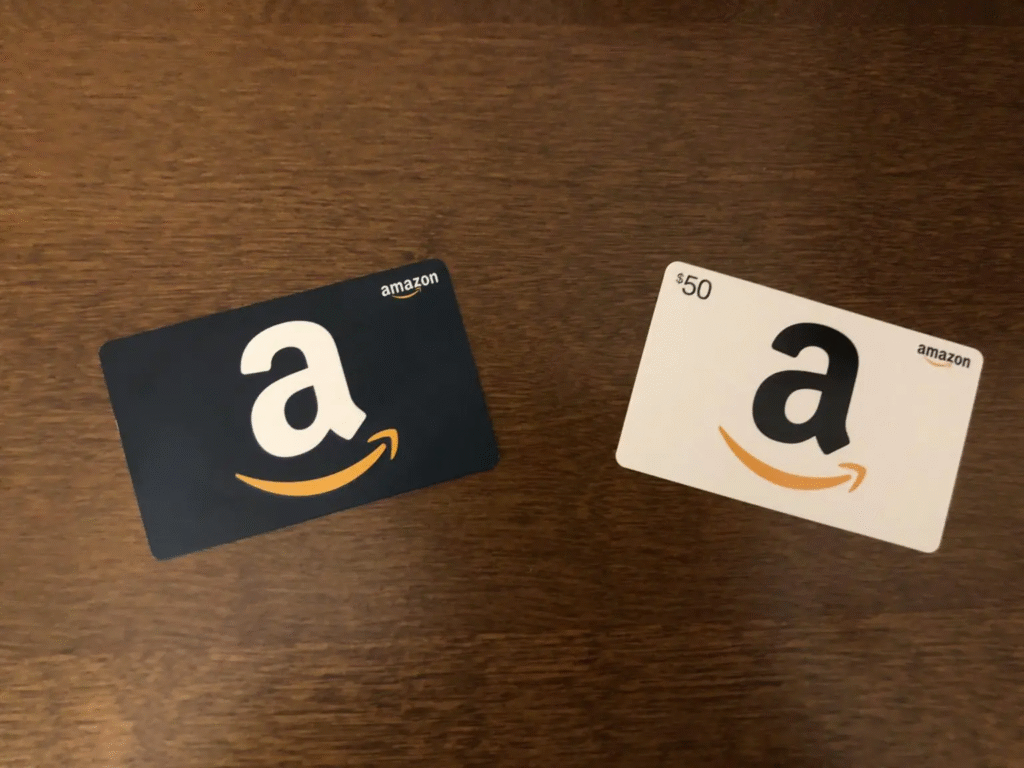
The first thing you should look for is the Amazon logo, after which you will check the card number(16 digits), and the claim code/activation code is perfectly covered.
B. Digital Amazon Gift Card:
Even though this type of Amazon card cannot be touched but can only be viewed digitally, you should look out for its logo. It’s not from Amazon if it doesn’t have the Amazon logo. Also, ensure it has the 16-digit card number and the activation code on it.
C. Customizable Amazon Gift Card:
One way to know if a customizable Amazon gift card is to check if customization options allow you to attach photos or messages. Users can create a design on the card through the customization options given.
D. Physical Amazon Gift Card Receipt:
As we mentioned earlier, this type of receipt shows the medium of payment used to purchase the physical Amazon card. You should always check the Amazon logo, card number, and activation code.
E. Digital Amazon Gift Card Receipt:
A digital Amazon gift card receipt indicates whether the buyer paid in cash or by debit/credit card. It usually includes the transaction details such as the date, buyer’s name, and amount. You should also check for the Amazon logo, activation code, and card number.
How to Use Amazon Gift Cards
A. Online Purchases:
You can buy anything from the Amazon online store using an Amazon gift card. The card is an open-loop gift card that is only valid and helpful in the Amazon store. You may want to check the card balance to ensure enough balance before making a transaction. After shopping and paying with your Amazon gift card, your items will be delivered to your address.
B. Sell Online:
Sometimes we get good gestures from friends and families in the form of Amazon gift cards, but their choices of gift cards might not tally with ours. Who says you can’t sell your Amazon card when you no longer need it? Gift card trading platforms like Xbanka will offer you high rates on any Amazon gift card you convert to cash or cryptocurrency.
C. In-store Purchases:
The best use of Amazon gift cards is to make store purchases in the Amazon store. The store has many products and services you will use up your card if you don’t control your spending.
Common Amazon Gift Card Error Messages and Their Solutions
When using your Amazon gift card, you might encounter error messages such as “Claim Code Lock,” “Unrecognized or Invalid Code,” “Gift Card not Activated,” “Already Redeemed Card,” or region-based restrictions.
1. Claim Code Lock:
Whenever you enter your Amazon gift card code incorrectly many times in a short period, I mean, if you get an incorrect claim code error several times and you keep inputting the wrong code, Amazon will think something suspicious is going on, and they will temporarily lock the code. This is their way of saying, “Our dear customer, slow down, and take a break.” But let me be honest with you, you will feel tired, especially when you know that the card is legit!
Solution: Wait a few hours, then try again. Carefully re-enter the code and double-check that you’re not mistaking similar characters (like the number “0” and the letter “O”). If you’re sure everything is correct and the lock persists, contact Amazon Customer Support for help.
2. Unrecognized or Invalid Claim Code
This is, by far, the most stressful error I’ve ever faced while using Amazon gift cards. I kept trying to redeem my code, but it didn’t work. Turns out, I had been entering it incorrectly all along. Once I rechecked and entered the right digits, it worked. This error usually happens when the code is mistyped or when the card is scratched too hard, making some characters unreadable.
Solution: Double-check the code for typos. If it’s a physical card, scratch gently to avoid damaging the code. In case you have sight issues, use your glasses or ask someone to read the code for you—it’ll save you stress. Should the issue persist, contact Amazon Support for assistance.
3. Gift Card not Activated:
If you enter your claim code and see this message, it means your gift card wasn’t activated when you bought it. Sometimes, the cashier might forget to scan your Amazon gift card properly at checkout, and you end up with an Amazon card that won’t work. The funniest part is that you will never realize there’s a problem until you are trying to redeem it.
Solution: You need to return to the store where you got the Amazon gift card with the receipt and ask them to activate it. If it was bought online, contact the seller. To avoid this kind of headache, make sure you buy from reputable gift card platforms like Cardtonic.
4. Already Redeemed Gift Card:
If you get the above error while trying to use your Amazon gift cards, it’s either that you accidentally redeemed the card or someone else used the card before you.
Solution: Check your Amazon gift card balance to confirm if the funds are there. If not, you need to contact Amazon support with details of your gift card to investigate.
5. Cannot be Redeemed in this Region:
Amazon gift cards are region-specific. For example, a US Amazon gift card won’t work on a Canadian account. Each country has its own Amazon marketplace, and the gift cards are tied to regional currencies.
Solution: Make sure you’re redeeming the card on the correct regional Amazon site. If the region mismatch continues, you can either gift the card to someone in that region or sell it. If you’re sure the region is correct and the card still won’t work, reach out to Amazon Support.
Where To Sell Amazon Gift Cards in Nigeria — Xbanka
If you’re in Nigeria and looking to sell Amazon gift cards, Xbanka is a leading platform for a secure and profitable exchange. This is one of the best digital platforms in Africa that allows you to buy and sell gift cards at competitive prices. You can also sell cryptocurrencies and pay your bills on the platform.
How to Sell Your Amazon Gift Card on Xbanka
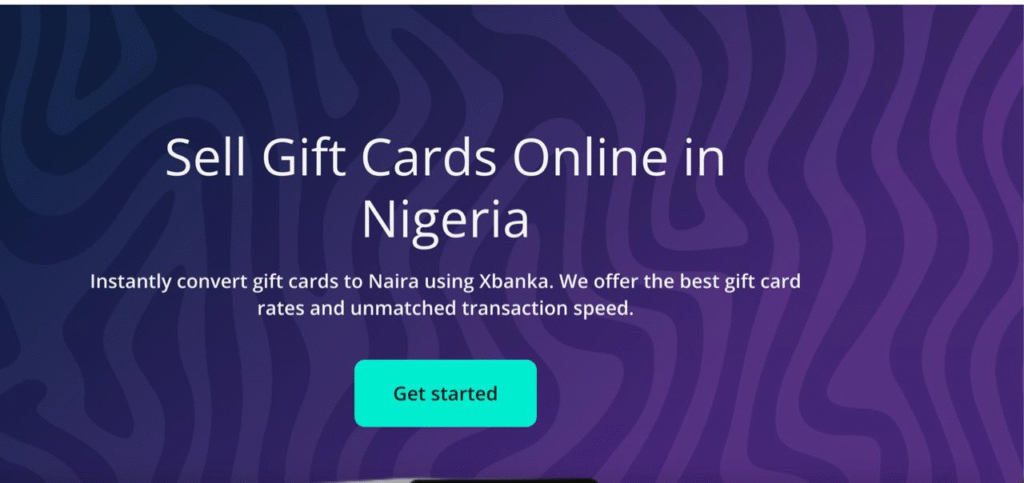
Here’s a step-by-step guide on how to do it:
- Visit the Xbanka website
- Create an Xbanka account and sign in.
- Click “Gift Cards” and choose “Sell Gift Cards.”
- Select your preferred payment method.
- Choose “Amazon” from the gift card category and select the card type.
- Enter the amount of the Amazon gift card you want to sell.
- Upload the image of the Amazon card or enter the code in the comment section.
- Follow the prompts to complete the transaction.
- You will receive payment immediately after the transaction is confirmed
Restrictions And Fees
Amazon restricts listing some products in its store and sometimes requires sellers to apply for approval to list and sell those items. These product categories are usually controversial in some locations, such as gambling items and alcohol. Sellers are charged a referral fee for any product sold. This fee is not fixed, but it varies across product types. However, most products are charged a 15% referral fee.
Conclusion
An Amazon gift card is one of the industry’s most popular and best gift card brands. You can never go wrong with an Amazon card, even if you do not want to use it. Many other ways can be helpful to you, especially selling it for cash. Your Amazon gift card receipt isn’t just a piece of paper; it’s your proof of purchase and remedy for any potential problems that could arise. Whether you paid with cash, debit, or credit, the receipt contains key details like the transaction ID and activation code you’ll need if there’s ever an issue with your card.
FAQ
- How do I get my receipt from Amazon?
Go to Your Orders. Select Invoice underneath the order number, Print this page for your records at the top of the order summary. Select your browser’s print button.
- How do I create a receipt for Amazon?
To get an Amazon receipt, log in to your account, click “Returns and Orders,” find the order you want a receipt for, and click “View Invoice”. If you want to print the invoice, click “Print this page for your records.
- Does Amazon provide receipts?
Finding Amazon receipts: Navigate to Orders: Go to the “Your Orders” section to view your past purchases. Download or Print Receipts: Click “Order Details” for any transaction to see itemized information. You can print or save these details for your records.
- How can I create my own receipt?
To create your own receipt with Invoice Fly’s receipt generator, simply choose the currency, input your business details (company name and address), add the client’s details you’re sending the receipt to, add the receipt number, issue date, payment date, include all the items that you need in the receipt, and add any
- What’s the difference between an Amazon receipt and an invoice?
The difference between an invoice and a receivable. Invoices are issued prior to the customer sending the payment, whereas a receipt is issued after the payment has been re