


What is GTBank mobile banking
GTBank Mobile is a type of service offered by GTBank to its customers, which provides a means of financial transactions by simply using a mobile phone. As long as you have a cellphone with you, then you can seamlessly enjoy Gtb mobile banking on your phone, whether you have a feature phone, android phone, an iPhone,e or any tablet. Before you get started with Guaranty Trust Bank mobile banking, ng you have to enroll or register, and that is compulsory.
Types of GT Mobile Banking
So far, there are two types of mobile banking services offered by GTBank, and they are;
- GTBank mobile banking app
- Gtbank ussd code
Currently, GTBank doesn’t offer sms banking, but rather the two mentioned above. Being a GTBank customer, I will advise you to enroll for the two GTBank mobile banking services, as one involves the internet, while the other doesn’t require an internet connection.
Getting started with the GTBank USSD code.
To get started with the GTBank USSD code, you will have to first create a pin, which will be used to finalize transactions,s especially when it comes to sending money or requesting an account statement. Before you get started with GTBank mobile banking ussd code, you must have a valid debit card or atm card ready available. Without atm, you can’t get started with GTBank mobile banking, as it is compulsory unless you have a hardware token.
To create gtbank transfer pin or transaction pin;
- Dial *737*5# on your cell phone.
- Enter the last 6 digits of your Debit Card (Atm card)
- Create your 4-digit PIN.
And that’s it.
After you have created your four digit gtbank transaction pin, you are good to get started sending money using the ussd code, checking your account balance or account statement, buying airtime and data, paying utility bills, etc. You simply have to dial the *737# on your cellphone and see all the necessary options and services you can do on the GTBank USSD code.
Gtbank ussd code
Gtbank USSD code is a type of mobile banking offered by Gtbank, which involves dialing the bank’s USSD code on your cell phone to perform financial transactions. Now, the good part about the GTBank USSD code is that it doesn’t involve an internet connection and works on all types of cell phones. Whether you are using an Android phone, iPhone, feature phone, iPad, or Android tablet. If you happen to find yourself in a situation where there’s no internet connection on your phone, and you don’t have an active cellular data or Wi-Fi, the GTBank USSD code is the best option for you.
Services you can perform using the GTBank USSD code
Below are the available services on gtbank ussd code mobile banking.
Money Transfer
- To transfer or send money from your GTBank to another GTBank account, dial Simply dial *737*1*amount*account no#.
- To transfer or send money from your GTBank to another GTBank account, dial Simply dial *737*1*amount*account no#.
For example, dial *737*1*50000*02122222114# on your cell phone and enter the transaction you created earlier to finalize the transaction. Remember to check the name that displayed on your screen to confirm the recipient is correct and check the amount you entered, cause immediately you tap on the send button, that’s the final. You can’t have the transaction reversed unless the recipient agrees to transfer the money back to your account.
- To transfer or send money from your GTBank to another bank account, dial Simply dial 737*2*amount*account no#.
For example, dial *737*2*50000*02122222114# on your cell phone, select the recipient bank, and enter the account number. Enter the transaction you created earlier to finalize the transaction.
Note: The charge for GTBank transfer is ₦20 & ₦50 for other Banks transfer per transaction.
Airtime
You can seamlessly buy airtime using the GTBank mobile banking ussd code right on your phone. To do so, simply dial *737*amount# to buy airtime for yourself, and to buy airtime for others, simply dial *737*amount*recipient’s mobile no#
Note: IfIi say to buy airtime for yourself, I mean to say to buy airtime for the phone number linked to your GTBank account.
To buy airtime for others simply means to buy airtime from your GTBank account to a phone number not linked to your GTBank account. The total daily cumulative limit for GTBank airtime top-up is 10,000, and this is applicable for both Self & 3rd Party. Is there any extra fee for buying airtime from gtbank account using the ussd code? The answer is no. GTBank airtime top-up is completely free without any charges.
Pay for cable TV
You can pay for cable TV using the GTBank mobile banking ussd code. Cable TV I’m talking about includes DSTV, GOTV, Startimes, etc. To get started, simply dial *737*7# or dial *737# and select 7, which is pay for cable TV. Enter your card number or decoder number and proceed with the rest. Talking about the charges, GTBanke will charge you N50 for recharging your cable TV using the ussd code.
Paying for bills
Through the GTBank mobile banking ussd code, you can easily pay your bills from your convenient home or office. All you have to do is dial *737*8# or dial *737# and select 8, which is to pay bills. The available options include;
Sports and Games: This includes the likes ofBet9jaa, Merrybet, Betking, and other sports betting.
Travel and logistics: This involves paying transportation bills, and this includes flights andothers logistics.
Data and PayTV: You can buy data from other sources like Smile Network, Swift, Startimes, etc. There are more banking services you will see in the GTBank USSD code. Simply dial *737# on your cell phone and explore the features. Remember, checking account information on gtbank ussd code attracts a fee of N10.
Gtbank mobile banking app
This is the second type of GTBank mobile banking, and this involves you going to the Google Play Store or the iOS App Store to download and install gtbank mobile app on your Android device and on your iPhone. There are two types of GTBank apps you will see on the app store, one says GTBank while the other says GTWorld, but I assure you that they all work. Once you have downloaded and installed the GTBank mobile app on your device, open it to get started with the enrollment. This literally means that you have to enroll for gtbank mobile banking app to use the app for your financial transactions right on your cellphone.
REQUIREMENTS:
- A smartphone like an Android or an iPhone.
- It also works on Android tablets and iPads.
- debit card (Atm card) or a token hardware.
- Your GTBank account number.
- Your phone number and other account information.
- An active internet connection, like cellular data or Wi-Fi.
Before getting started, I want you to know that you can easily check your account balance and other account info on gtbank mobile app without attracting a fee from the bank unless you want to make a payment. Once you have these requirements ready, go ahead and open gtbank mobile app on your phone to get started with the enrollment.
The essentials
Right here, I will explain the most useful part of the mobile app, though it depends on one’s banking needs.
1. Money transfer
To transfer money from your GTBank account, open the bank’s mobile app and select transfers, just like in the picture below. Now go ahead and enter all the requirements needed from you, and check to see if you entered the correct amount. Once you’re done with everything, go ahead and tap on the send button to send the money to the recipient. You chose to add the recipient to your beneficiary, and this helps to save the person’s account information on your GTBank mobile app, and you wouldn’tneede to enter the person’s account number and bank anytime you want to send money to the person.
2. Airtime top up
To buy airtime from your GTBank account through the bank’s mobile app, open the app and select buy airtime and data.
- Tap on buy airtime & data, and from the drop-down menu select VTU.
- Select your account number, select airtime or data depending on what you want to do, select the network, enter the amount, and finally enter the phone number you want to buy the airtime for and tap on the send button.
- When buying airtime from the bank mobile app,p you should be very careful ancross-checkck the phone number you entered and the amount, cause any mistake you make won’t be reversed or corrected once you tap on the send button.
3. Paying bills
When it comes to paying dstv subscription, I mostly use my GTBank mobile app to do that, and more especially, the bouquets are already added to the GTBank mobile app. Just like the GTBank mobile banking ussd code, you can pay your bills using the bank’s mobile app as well. So all you have to do is open the app and select Payments.
You will be presented with a list of all available payments, and you can go through them one after the other.
- Now, if you want to pay for DSTV or any cable TV, kindly tap on Cable TV, select your bank account, select DSTV/GOTV or any other available option, and selectDSTVv/GOTV once again and tap continue to move over to the next step.
- Now enter your smartcard number. In the request type, select renewal if you want to renew your subscription,n or renew request if you want to buy a new subscription package,ge like upgrading from DSTV Yanga to premium.
- Finally, select the bouquet from the drop-down menu and tap on the continue button.
- Enter your GTBank mobile banking transaction pin and then click on the send button to finalize the transaction or the payment.
- Go through other payment options like internet subscription if you want to buy data from sSmile Network, Swift Network, etc.
Also, you have Sports and Gaming if you want to play betting like the bet9ja, Merrybet, BetKing, and others. You can also pay for visas, school fees, utilities, taxes and levies, tithes and donations, airline tickets, etc. Simply open the app and explore allthe options available to you. Other interesting options available on the GTBank mobile app are the ability to view your bank verification number(BVN) by tapping on the hamburger menu option. You can also contact the bank customer service representative through email or by phone call right from the app. You can also request or apply for a loan, block your account, request an account upgrade, check your transaction details, request a debit card, etc.
GTBank Mobile Banking registration
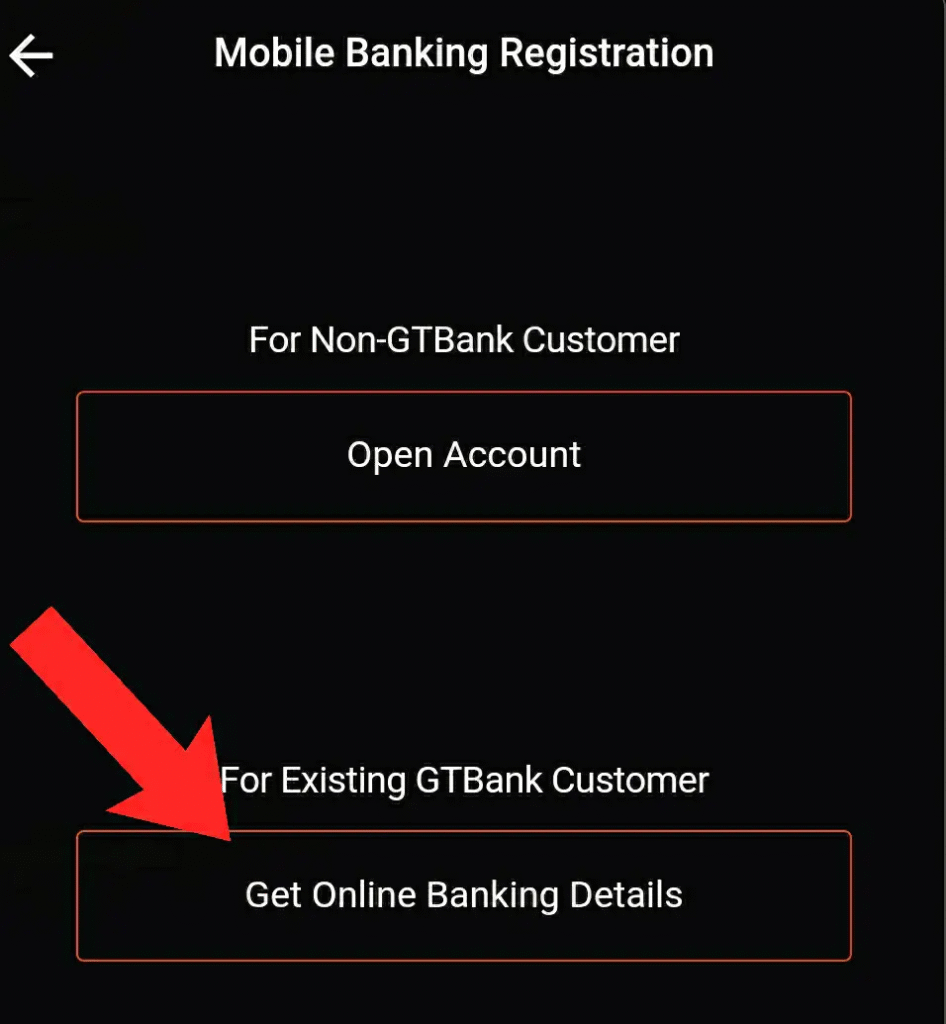
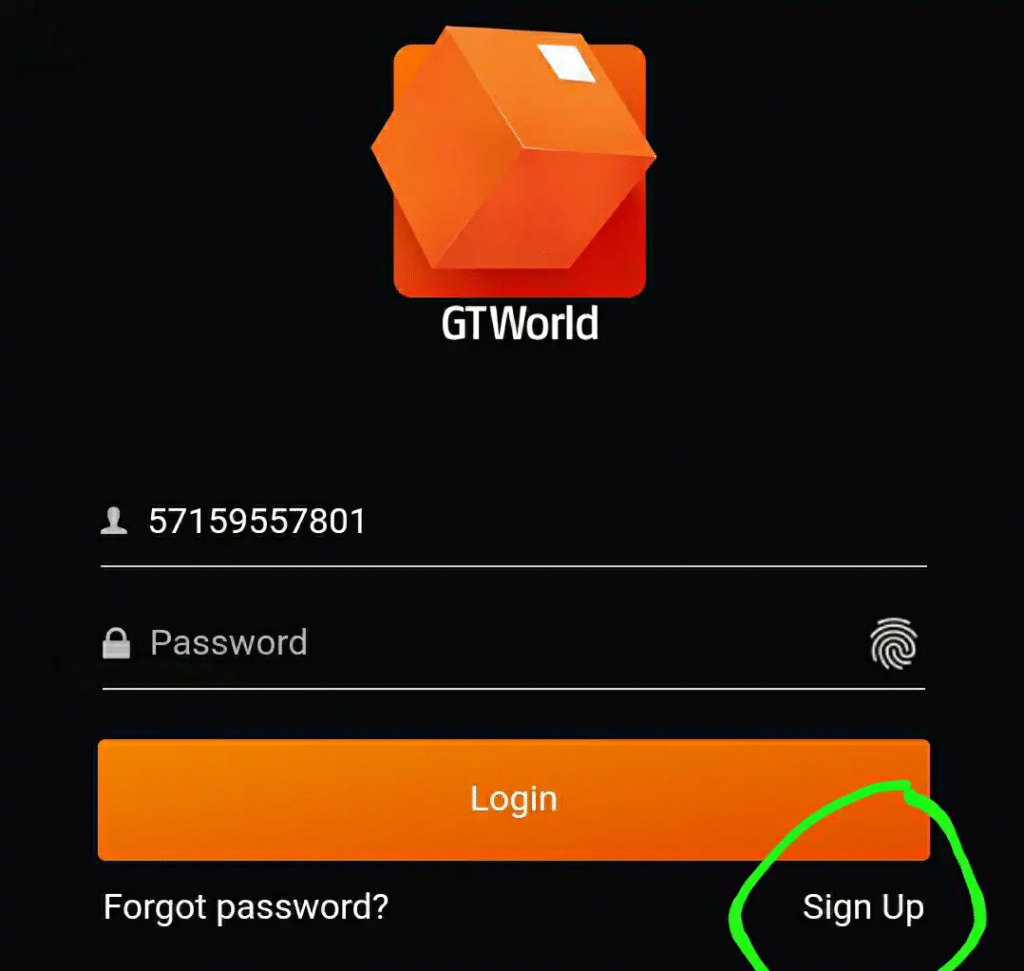
To register for GTBank mobile banking, all you need to do is download and install the app on your device, and sign up using any of your debit cards, hardware tokens, or any OTP code sent by the bank. Remember that gtbank mobile banking ussd code doesn’t require registration,n but rather you need to create a transaction pin for it.
Gtbank mobile banking user id
This is the username that is required for GTBank mobile banking login. Without the user ID, you can’tlog inn to your GTBank account. GTBank user ID can be an email address you used during enrollment with the bank’s mobile banking or an 11-digit number sent by the bank.
How to get my user id for GTBank
If you have forgotten your GTBank user ID, to get your GTBank user ID for mobile banking, all you have to do is contact the bank customer service representative and request it. If you have yet to enroll forGTBankk mobile banking, you have to first enroll with the bank’s mobile app in order to get your user ID. This also goes to GTBank internet banking.
How can I activate my GTBank transfer code?
To activate the GTBank transfer code, simply dial *737*5# on your cell phone. Enter the last 6 digits of your Debit Card and create your 4-digit PIN. Once you have done this, you have activated your transfer code and can now enjoy the ussd code in sending money, buying airtime and data, plus other services.
Forgot gtb mobile banking password.
If you have forgotten your GTBank mobile banking password, you have to go to the bank to retrieve your password. Banks do treat this type of case with a lot of caution, so you can only retrieve it by simply going to the bank. Remember to go with your ID and move to the customer service representative and request that you want to retrieve your mobile banking password as you have forgotten it. Definitely, the bank will help you out unless the found out that the account is not yours.
Gtb mobile banking without atm card
To register gtb mobile banking without atm card, download and install the app on your phone, and tap on the sign-up button. Select OTP or hardware token to enrol with GTBank mobile banking. I’ve already explained this above, so kindly scroll up and you will see it. So far, these are all I have to explain to you when it comes toGTBankk mobile banking. It is left for you to do the needful if you are a GTBank customer and get your account enrolled today to enjoy one of the best banking services offered by the bank today.
Conclusion
You can transfer any cash from your account to another financial institution using the GT Bank transfer code.
FAQ
- How do I check my GTBank account details?
To check for the account balances on any of your accounts, your BVN or account number, all you need to do is simply dial *737*6*1# on your mobile phone and follow the on-screen prompts.
- How to reset secret questions on GTBank?
If you have forgotten your secret answer, select ‘remind me of my secret answer,’ and your secret question will be sent to your registered email address. To do this, select the Profile icon on the top-left corner of your Home screen and select ‘Reset secret question’.
- Can I access GTBank online on my phone?
GTBank Mobile Banking App. Logging on to Mobile Banking grants access to all the accounts for which an individual is profiled with GTBank, such as savings, current, and domiciliary accounts, while on Mobile Money, one gains access to their Mobile wallet by logging in with a phone number.
- How do I get my user ID for the GTBank mobile app?
Select Sign Up/Register on the login page of the app and enter the required account details. A One-Time Password (OTP) will be sent to your registered email. Once verified, your User ID and Password will be sent to your registered email.
- What is the new USSD code for Gtco?
Users simply have to dial the short USSD *737# code on any mobile device to experience a new world of simple banking.
- What is the difference between GTBank and GTCO?
While our bank is now Guaranty Trust Bank Ltd, the text on our logo has changed from GTBank to GTCO to reflect our new status as part of a financial services company. The future of financial services goes beyond banking, and we’re at the forefront of providing this new range of services to our customers.