
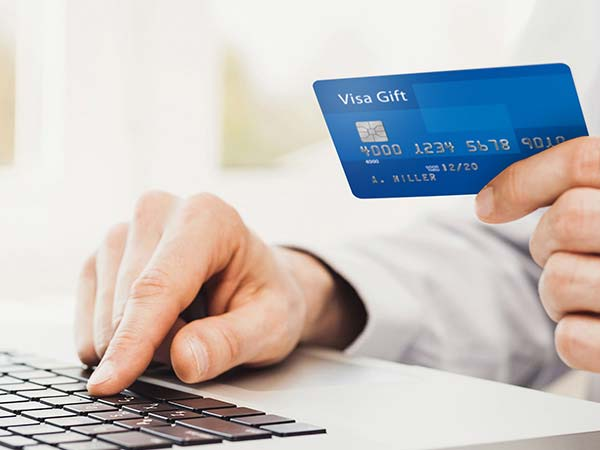

What are Visa gift cards?
Visa gift cards function similarly to debit or credit cards, but with a fixed amount of money loaded onto them. They’re typically given as gifts or promotional giveaways and can be used anywhere a Visa is accepted. The challenge comes when you want to make a purchase that exceeds the balance on a single card.
Ways To Combine Visa Gift
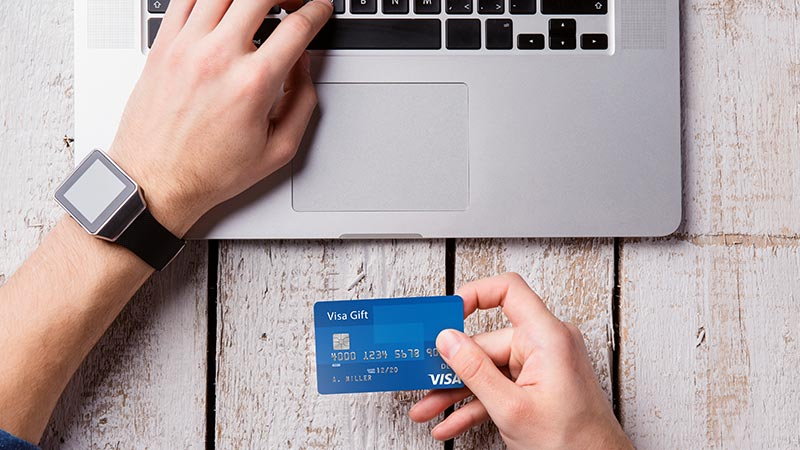
Here are the different ways you can leverage your multiple Visa gift cards to make a purchase.
1. Use Multiple Visa Cards For A Purchase
Certain physical stores accept multiple cards, so customers can use them to make a single purchase online or in-store. For instance, you have about five Visa gift cards with small balances. You need to pay for a $100 product, but each of your Visa gift cards is within the $15-$25 range. What do you do? You can inform the attendant that you would like to use multiple Visa gift cards to make payments. They will confirm the remaining balances on each card to ensure they will cover your expenses. Once confirmed, you can go ahead to make your purchase.
2. Consolidate The Funds On Your Visa Gift Cards
There is an option to use multiple Visa gift cards to buy a store-specific gift card. Some retailers allow their customers to do this. So, let’s assume you have three Visa gift cards with $7 each. You will be given a store-specific card worth $28 in exchange for your cards. This means you can now use that $28 gift card to purchase at the store now or later.
3. Add Your Visa Card Balances To PayPal
You can also add your Visa gift cards to your PayPal account via the website or the app. Once done, you can then use PayPal as a payment option. A verified PayPal account can accept up to 24 gift cards, while a non-verified account can only take four. While PayPal is convenient, be aware that an authorization fee of $1 may apply, which will be refunded after a few minutes. If this option doesn’t work for you, here’s what you need to consider:
- Register your billing address with the card issuer.
- Look for a contact website or phone number on the back of your prepaid gift card to complete this registration process.
- You may also get an error message if your prepaid card was not issued in the U.S. or if you are trying to buy from an international merchant.
4. Add your Visa gift cards to Amazon
Tap into the ease of adding Visa gift cards to your Amazon account and use them as a payment option. You can do this through the Amazon web browser or app, and when it’s time to check out, select the Visa gift card as a payment method.
5. Leverage Card Management Apps
There are online wallet apps that are used for card management services. They include Famzoo, Venmo, Greenlight, Google Pay, and even Apple Wallet. These apps can add your card balances together in one place. You can also track your spending with these apps.
6. Contact Customer Support
Place a call to the customer support number on the back of your gift card. Discuss your request with the customer rep. If they agree to your request, you will need to provide each of your Visa gift card numbers so that they can confirm the remaining balances. The gift card balances will be transferred into one card, and the details will be provided to you.
Why Combine Visa Gift Cards?
Combining Visa gift cards offers a range of benefits that make it a worthwhile solution for both casual users and frequent shoppers.
1. Ease of Management
Managing multiple Visa gift cards can be overwhelming, especially if each card has a small remaining balance. By consolidating these balances, you eliminate the need to track each card separately. A single payment method simplifies purchases and avoids confusion during checkout.
2. Maximizing Balances
It’s easy to overlook small leftover balances on gift cards, but these funds add up over time. Combining Visa gift cards ensures that no value goes to waste, allowing you to utilize the full amount across all cards.
3. Convenience for Large Purchases
Most high-value transactions require a single payment method. Combining balances from multiple cards allows you to make larger purchases without relying on split payments or multiple transactions.
4. Saving on Transaction Fees
Each transaction involving a Visa gift card may incur fees. By combining balances into a single payment method, you reduce the frequency of these fees, saving money in the long run.
Advantages of Combining Visa Gift Cards
Combining Visa gift cards offers numerous benefits that improve your overall spending experience.
- Increased Usability
Consolidating balances allows you to use scattered funds effectively for purchases, avoiding wasted money.
- Streamlined Purchases
Using a single payment method reduces the need to juggle multiple cards during checkout, making transactions quicker and less stressful.
- Improved Budgeting
A unified balance simplifies tracking and budgeting, giving you better control over your spending.
- Eco-Friendly Option
By reducing the number of active physical cards, you contribute to less waste and a more environmentally friendly approach to gift card use.
Advantages of Using Visa Gift Cards
- Flexibility: Visa gift cards can be used to buy anything. Clothing, fuel, food, and many other items can be purchased with a Visa gift card.
- Convenience: You can use your Visa gift card to make purchases at any store that accepts Visa as a payment option. Visa gift cards are not restricted to a particular store like other store-specific gift cards. You can use them to buy items online or in-store.
- Budgeting: To avoid overspending, you can load a certain amount on your Visa gift card and use it to make a purchase.
- Security: Visa gift cards are not linked to your bank account. You have nothing to worry about if you misplace your Visa gift card or it gets stolen.
- Gifting option: They are great gifts for your loved ones on special occasions.
Tips for Combining Visa Gift Cards
- All Visa gift cards have an activation and usage fee attached to them. So keep that in mind and always confirm the value of the different gift cards before using them.
- Read the terms and conditions on your purchased Visa gift cards. This will help you be informed if combining them to buy a single gift card is possible.
- Confirm the feasibility with the cashier if you plan to merge multiple Visa gift cards to make a single purchase.
- Have your gift card numbers and expiry dates at hand before calling customer support to consolidate your funds.
- Conduct your research before you proceed because most card management apps charge a fee to allow you to consolidate your funds.
How to Add Visa Gift Cards to Digital Wallets
- Log in to your PayPal, Apple Pay, or Google Pay account.
- Navigate to “Add Payment Method” and select “Add Debit or Credit Card.”
- Enter the Visa Gift Card Information, including the card number, expiration date, and security code.
- Confirm and save the card to your wallet.
Use Your Visa Gift Cards to Buy a Single Store Gift Card
If you have a specific store in mind where you plan to make a large purchase (like Amazon, Walmart, or
Best Buy), consider consolidating your Visa gift cards into one store-specific gift card. Many online
platforms allow you to buy their gift cards using Visa gift cards as payment, so you can load multiple
Visa cards to purchase one high-balance gift card.
- How to Buy Store Gift Cards with Visa Gift Cards
- Visit the Retailer’s Gift Card Purchase Page (e.g., Amazon Gift Card page).
- Select the Desired Amount you wish to load onto the store gift card.
- At Checkout, choose to add your Visa gift card details as the payment method.
- Complete the Transaction, repeating as necessary until you reach the desired amount.
What Is the Difference Between Visa Gift Cards and Visa Prepaid Cards?
These two names might be used interchangeably on some websites. While there are some obvious similarities between the two, they are quite different. While the Visa gift cards are prepaid with a certain amount of money. The difference between the two is the ability to recharge the card. A Visa gift card is a temporary solution to having funds. With no strings attached to the original buyer, the other person can freely buy almost anything. This is true as long as they make purchases within the country, the gift card was issued. Once the funds on the card run out, there is no way to add more funds. Prepaid cards, on the other hand, are more future-proof than gift cards.
Important tips for combining Visa gift cards
1. Track balances
Before attempting to combine cards, verify the balance on each card to ensure you know exactly how much you have to work with.
2. Check retailer policies
Look through the policies of the merchant (e.g., Amazon, other online retailers, or stores) regarding the use of multiple gift cards for a single purchase. Not all merchants allow this.
3. Note card details
Before contacting customer support to consolidate your funds, ensure you have your gift card numbers and expiry dates ready.
4. Check fees in apps
Many card management apps charge a fee for consolidating your funds. Research this before making a decision.
5. Use gift cards promptly
To avoid inactivity fees and expiration dates, try to use your gift cards as soon as possible.
Conclusion
There might not be a straightforward means to combine your Visa gift cards into a single card; however, you can employ some strategies. According to this guide, these strategies are consolidating your Visa card funds into a store-specific card, leveraging card management apps, calling customer support, and adding your Visa card to PayPal or Amazon. Regardless of the option you are going for, always make sure to read the terms and conditions of your Visa gift cards.
FAQ
- Is there a way to combine all my Visa gift cards?
Can I combine multiple Visa gift cards? Yes, you can merge the balances of your Visa gift cards using various methods. The most effective way is to combine your Visa gift card balances into a single virtual card with the payment service Xbanka.
- How to combine Visa gift cards on Amazon?
It’s important to note that Amazon allows you to use only one gift card per payment. You must choose one card for each transaction if you have multiple Visa gift cards. If the balance on your chosen gift card is insufficient to cover the total cost of your purchase, you can still use it as a partial payment method.
- Can I transfer a Visa gift card balance?
Transferring funds from a Visa gift card balance to a bank account isn’t always straightforward, but it can be possible. Although a direct transfer isn’t always readily available, you may be able to make a transfer indirectly through third-party apps like PayPal, Venmo, or Cash App.
- Can I transfer a Visa card to a Visa card?
The service of Fast Transfers to Visa cards allows you to transfer money only from a Visa card to a Visa card. Some banks provide a transfer service between cards of different payment systems. You will find detailed information on the website of your bank.
- Who accepts Visa gift cards?
With a prepaid Visa Gift card, you’re giving the gift of choice. Visa Gift cards work anywhere Visa Debit is accepted, both in-store and online. To see the best options for you, select one or more filters below, or call (866) 511-GIFT.