

How to Use CVS Pharmacy Gift Card
If you’ve ever been given a CVS pharmacy gift card, whether as a reward, a fundraiser, or simply a thoughtful present, you might have asked yourself, “Where can I actually use this gift card?” You’re not alone. The confusion about whether you can use a CVS gift card online, in the CVS app, or even for paying for prescriptions is very common.
This guide is here to clear the confusion and show you how to use your gift card effectively.
About the CVS Pharmacy Gift Card
Before we get into the CVS Pharmacy gift card, let’s get to know what CVS Pharmacy is all about.
CVS Pharmacy is a popular drugstore chain in the U.S. You can pick up medicine, health products, and other everyday items there. With so many locations around, it’s easy to find a CVS pharmacy nearby. Now, CVS Pharmacy is more than just your regular drugstore; they also sell gift cards. In fact, it is one of the best stores to buy gift cards. Whether you’re looking for a last-minute present or a thoughtful gift for a loved one,
What is a CVS Pharmacy Gift Card
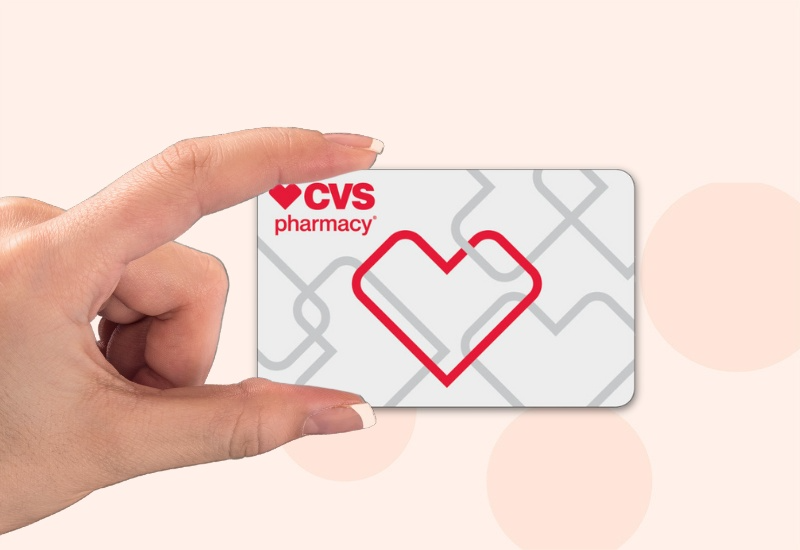
A CVS Pharmacy gift card is a prepaid card that lets you shop for items in the CVS store. Think of it as store credit you can give as a gift or use for yourself. While CVS does sell gift cards for other retailers like Apple and Amazon, their own-brand gift cards are for in-store use only. CVS gift cards are available in both physical cards and eGift cards.
The beauty of CVS gift cards is their flexibility: they make it super convenient to find the perfect gift while picking up prescriptions or shopping for household essentials. They’re also available in both physical cards and eGift cards.
What Gift Cards Does CVS Pharmacy Sell?

CVS Pharmacy offers gift cards from popular stores and brands. Their selection often includes cards from the following categories:
- Prepaid Debit Cards: Visa, Mastercard, and American Express prepaid gift cards.
- Retailers: Amazon, Target, Best Buy, and Macy’s.
- Restaurants & Dining: Starbucks, Chipotle, and The Cheesecake Factory.
- Streaming & Entertainment: Netflix, Spotify, Hulu, and Disney+.
- Gaming: PlayStation Store, Xbox, Nintendo eShop, and Steam.
The CVS selection can vary by location, but most stores have a dedicated gift card rack with a broad range of options.
Where to Buy a CVS Gift Card Online
Why visit a physical CVS store to get a CVS pharmacy gift card when you can just buy it online within seconds? You can easily buy CVS gift cards online from the comfort of your home from the CVS official site, from safe and fast marketplaces that sell CVS gift cards like eGifter, or from Amazon and other authorized retailers.
If you are getting a CVS gift card as a gift for someone, you can choose CVS e-gift cards for instant email delivery.
Easily Trade Unused Gift Card for CVS Gift Card
CVS has partnered with a third-party service called CardCash to allow you to trade in unwanted gift cards from over 200 retailers for a new CVS eGift card. This is a great way to sell gift cards you won’t use for store credit you can spend at CVS.
Here’s how it works:
- Get an Offer: Visit the CVS Gift Card Exchange portal and enter the merchant name and balance of the gift card you want to sell.
- Confirm the Trade: If you like the offer, you’ll provide your CVS gift card details. The offer is a percentage of the original card’s value.
- Receive Your Card: A new CVS eGift card will be emailed to you within one business day.
Can You Use a CVS Pharmacy Gift Card In-Store?
Yes, you can. Think of a CVS gift card as cash you can spend in a CVS pharmacy store. Shoppers can use it for nearly all in-store purchases, from shampoo to snacks. But there are a few exceptions.
What Can You Buy with a CVS Card
- Everyday essentials: groceries, toiletries, health products
- Prescriptions (sometimes—more on this below)
- Over-the-counter meds and vitamins
- Seasonal items and beauty products

What You Can’t Buy with a CVS Pharmacy Gift Card
- Other gift cards (no double-dipping)
- Lottery tickets
- Money orders or prepaid debit cards
So while the CVS gift card is flexible, it doesn’t cover everything.
Can You Use a CVS Gift Card Online?
If you’ve wondered whether you can shop online with a CVS Pharmacy gift card, here’s the clear answer: Currently, CVS does not accept gift cards as payment on CVS.com or through the mobile app.
What To Do If You Can’t Use a CVS Pharmacy Gift Card Online
Not being able to use cvs gift card online is not the end; you still have other options that you can consider instead to make your purchase.
- Use the card in a CVS physical store for your purchases.
- For online shopping, pay using another method, such as a debit or credit card.
- Check your balance online to plan your purchases better.
Can You Use a CVS Gift Card for Prescriptions?
Yes, you can use a CVS Pharmacy gift card for your prescription purchases. A CVS gift card is like cash for most in-store purchases with CVS. Official CVS policies confirm that you can use and redeem these cards only in-store.
How to Use a CVS card at the Pharmacy
- Purchase or receive a CVS gift card (physical or eGift).
- At the pharmacy checkout, hand it over just like you would give your debit or credit card for payment.
- No special activation is needed. CVS gift cards are valid for prescription copays, OTC items, and more.
Tips for a Smooth Checkout with Your CVS eGift Card
- Avoid self-checkout—many users report that the scanners often fail to read the digital barcode from a phone.
- Go to a manned register and hand your phone to the cashier.
- Always ask the cashier to select “Gift Card” as the payment option, as some may not be familiar with the process for eGift cards.
- Keep the email with the barcode and PIN ready for backup in case the barcode doesn’t scan and the cashier needs to manually enter the card number.
So, while the CVS gift card process may require a little extra effort compared to a debit or credit card, it’s a reliable way to make purchases in any CVS store.
Conclusion:
So, to wrap it up, a CVS Pharmacy gift card is a great option for in-store purchases and can even be used for prescriptions and other essentials. The key is to remember that these cards are for in-store use only, and they can’t be added to the app’s digital wallet. Knowing these simple dos and don’ts can make your checkout experience a lot smoother and help you avoid any frustration.
Want a more flexible way to get gift cards you can use online? Consider Xbanka. It’s a gift card trading platform where you can buy and sell gift cards like Apple, Steam, Razer, and many more. It is a safe and secure way to get instant payment for gift cards you no longer want, or to find the perfect gift card for your online shopping needs.
Frequently Asked Questions
- Can I check my CVS gift card balance online? Yes, you can check your balance online by visiting the official CVS gift card page. You will need the card number and the access code, which are both found on the back of the physical card or in the eGift card email.
- Do CVS gift cards expire or have fees? No, CVS-brand gift cards do not expire and do not have any inactivity or dormancy fees. The balance you load onto the card will remain available until you use it.
- Can I use a CVS gift card for online orders and in the CVS Pharmacy app? No, CVS gift cards are not accepted for online purchases on CVS.com or for payments within the mobile app. They are for in-store use only.
- What should I do if my CVS gift card barcode doesn’t scan? If the barcode on your physical or eGift card doesn’t scan at the register, you should ask the cashier to manually enter the 16-digit card number and the access code. This is a common solution for digital barcodes.