


What is the Opay USSD Code

The Opay USSD code is *955#. This code allows you to make different transactions on the payment platform. Opay introduced its USSD feature after the launch of the company as a fintech service in Nigeria. This aims to simplify the use of Opay services, especially when internet connection is unavailable, even making Opay one of the best online payment gateways for businesses. However, it is essential to create an Opay account before you can use the USSD feature. You must also ensure that you use the phone number linked to your Opay to use the code. This is because your registered phone number is your Opay account number,r which facilitates any transactions you want to make on the platform.
How to Create an Opay account.
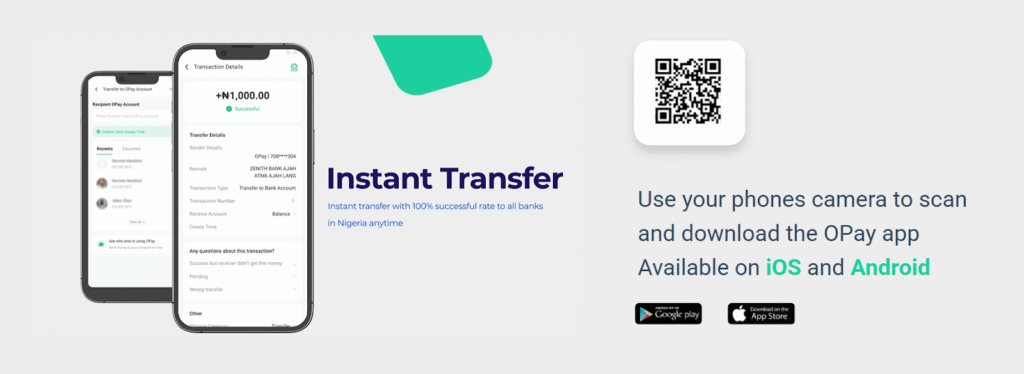
Before you use some of the Opay USSD codes, you need to have an account with Opay first, as said before. Here are simple terms to create an Opay account:
- Download the Opay app from the Apple App Store or Playstore
- Open the Opay app once it has been installed.
- For new users, click on “Create Account. Existing users should log in to their existing accounts.
- Enter your correct personal information, such as name, phone number, email, etc.
- Set your transaction PIN and password for secure login.
- Verify your account by providing additional details as requested in the app. The level of verification determines the maximum balance your account can hold.
- Once verification is successful, your Opay account will be created and ready for use. You can now use the account to make payment transfers, buy airtime and data bundles, and more directly from the app.
- Please note that there is yet to be a code to open an Opay account; you must download the mobile app.
How to Transfer Money Using the Opay Transfer Code
- To transfer to another bank account or Opay account using the Opay USSD transfer code, follow these steps:
- Dial *955# using your Opay-registered phone number.
- Select the “Transfer” option.
- Select option 1 to transfer to an Opay account or option 2 to another bank account.
- For bank transfers, please type the recipient’s 10-digit bank account number and select their bank, e.g., Access Bank, GT Bank, First Bank, etc.
- Type the amount you want to transfer.
- Alternatively, dial *955*2*Amount*Account Number#, select the bank if required, and enter your Opay Pin to authorise the transfer.
- For example, to transfer ₦2000 to 2032121234 Polaris Bank account, dial *955*2*2000*2032121234#, select Polaris Bank and enter your PIN.
- Confirm the transaction by providing your Opay Security PIN.
How to Buy Airtime Using the USSD Code For Opay
To purchase airtime for your number or recharge another number using the Opay USSD code, follow these steps:
- Dial *955#
- Select the “Airtime/Data” option.
- Enter the mobile number to recharge, followed by the airtime amount.
- For example, to recharge ₦500 on 0901234567, dial 9553500*0901234567#
Alternatively,
- Select the “Airtime” option after dialing *955#.
- Enter your phone number, airtime amount, and Opay PIN.
- You will receive an SMS notification once the airtime recharge is successful.
How to Buy Data Using the Opay USSD Code
Here is a simple step-by-step guide to buying data using the Opay USSD code:
- Dial *955# on your phone.
- Select the “Data” option from the menu.
- Choose the amount of data bundle you want to buy, e.g., 1GB, 2GB, etc.
- Enter the mobile number you want to add data to. This can be your number or someone else’s.
- Input your Opay PIN to confirm the payment
How to Use The Opay USSD Code to Fund Betting Accounts
You can load credit onto your betting platform within minutes using just the Opay USSD code. To fund your betting account:
- Dial *955# from your registered mobile number.
- Select option 3, “Betting & Electricity”.
- Choose option 1, “Fund Betting Account”.
- Select your betting platform from the list (e.g., Bet9ja, 1xBet,. etc).
- Enter the amount you want to deposit.
- Input your Opay PIN to authorise the transaction.
- You will receive an SMS notification once the funds are in your betting account.
Opay USSD Code to Pay Your Electricity Bill
Here are the precise steps to pay electricity bills using the Opay USSD code:
- Dial *955# from your registered mobile number.
- Select option 3, “Betting & Electricity”.
- Choose option 2, “Pay Electricity Bill”.
- You will be prompted to enter your electricity provider, account number, and meter serial/ID number.
- Input the requested details when prompted.
- Confirm the payment amount and provider details.
- Enter your Opay PIN to authorise the payment.
- You will receive an SMS notification and your token once the payment is successful.
How to Check Your Opay Account Balance Using the USSD Code
There is no need to open the app or have data. In just a few taps from your phone’s dial pad, you can check your Opay balance for free anytime, anywhere by following these steps:
- Dial *955# on your phone.
- Select the 4th option, “Check Balance,” from the menu.
- Alternatively, you can dial *955*4# directly to check your balance.
- Enter your Opay PIN when prompted.
- Your current Opay wallet balance will be instantly displayed on your phone screen for free.
How to Add Money to Your Opay Account
Here are the steps to add money to your Opay account using the USSD code:
- Dial *955# on your phone.
- Select the “Funding” option.
- Choose how you want to fund your account – bank transfer, card payment, or cash deposit at an agent location.
- You’ll need to enter your bank details, like account number and amount of funding, by bank transfer.
- For card payments, enter your card details and amount.
- After entering the payment details, input your Opay PIN for verification.
- You will receive a confirmation message once the funding is successful.
- The amount will be instantly reflected in your Opay wallet balance or within a few minutes, depending on the payment method.
Opay USSD Codes For Loan
The Opay USSD code allows everyone access to Opay loans, even without a smartphone. Just dial *955# from your mobile phone and follow the simple steps below:
- Dial *955# from the mobile number registered with your Opay account.
- Select the “loan” option from the menu.
- Follow the on-screen instructions to apply for a loan. You’ll need to enter some basic details.
- If approved, the loan amount will be disbursed directly into your Opay wallet.
- You can then pay bills, transfer funds, and access other Opay services using your wallet balance.
Opay USSD Code to Save Money
To save money using the Opay USSD code, follow these steps:
- Dial *955#
- Select the “Savings” option, which is option 6
- Enter the amount you want to save
- Enter your Opay PIN when prompted
How to use the Opay USSD Code to Withdraw
Here are the simple steps to withdraw money from your Opay account using the USSD code:
- Dial *955#
- Choose the “Withdraw” option, which is Number 7.
- Enter the Opay agent/POS phone number from which you want to withdraw the cash.
- Enter the amount you want to withdraw.
- Input your Opay PIN when prompted.
H3: How to use the Opay USSD Code to get an Opay Card
The Opay card lets you purchase and withdraw directly from your Opay wallet balance. You can order both virtual and physical cards easily using the USSD code.
Here are the simple steps:
- Dial *955#
- Select option 8
- Choose option 1 for a virtual card or option 2 for a physical card that can be delivered to you.
- Then, it will direct you to the app to order it from there.
- Once verified, your virtual card is ready to use immediately online and in-app. The physical card will be delivered within 5-7 business days.
Conclusion
Opay USSD codes have transformed the way we manage our finances and access essential banking services. With just a few taps on our mobile phones, we can now send money, pay bills, buy airtime, fund betting accounts, and more, all without the need for data or apps.
Check your balance via Opay USSD.
FAQ
- How do I pay with a USSD code?
To pay using a USSD code, a customer’s bank account must be linked to their mobile number. The customer then dials the specific USSD code provided by their bank. After dialing, they follow simple, on-screen prompts to authorize the transaction.
- What’s the code to call OPay?
– Call us on 0700 888 8328 or 020 18888 328 (for App & Card queries). – Call us on 0700 888 8329 or 020 18888 329 (for POS Business queries). Our helpline is available 24/7. Alternatively, chat with us on WhatsApp at +2349165998936.
- Does OPay have code?
The Master OPay USSD Code: *955#. Dial *955# to unlock OPay’s main menu. From there, you can: Transfer money. Buy airtime or data.
- How to withdraw money from the OPay wallet without a card?
Easily withdraw cash from your OPay Wallet without a debit card through an OPay Agent. Dial *955*3# to perform a withdrawal transaction from your OPay wallet today.
- What’s the code to call OPay?
– Call us on 0700 888 8328 or 020 18888 328 (for App & Card queries). – Call us on 0700 888 8329 or 020 18888 329 (for POS Business queries). Our helpline is available 24/7. Alternatively, chat with us on WhatsApp at +2349165998936.