

What is an eBay Gift Card
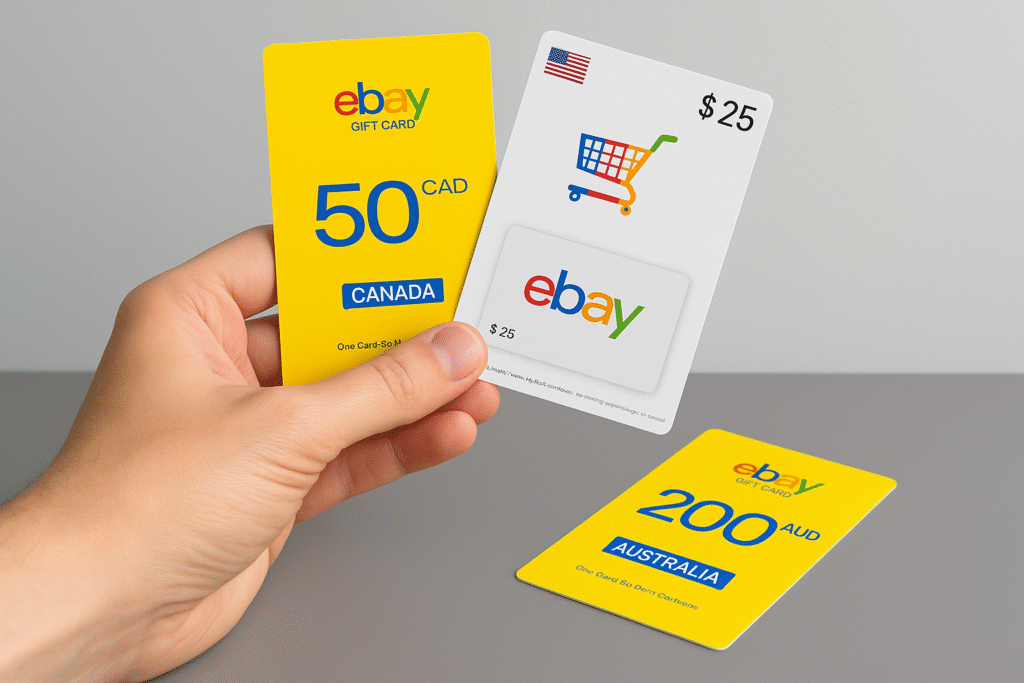
eBay is a global online marketplace where people buy and sell items—everything from fashion and tech to cars and collectibles. Launched in 1995, it has grown into a go-to platform for millions worldwide.eBay gift cards are a convenient way to shop on the platform. You can use them to pay for anything listed on eBay as long as the seller accepts gift cards. You can find these cards on eBay or from trusted platforms like Xbanka. Just like regular gift cards, they act as prepaid funds but are only usable within the eBay system.
Common eBay Gift Card Errors
- Invalid Code or PIN: Usually caused by typos, damaged scratch panels, or hidden characters when copy-pasting.
- Not Activated: Some cards take time to register on eBay’s system. Others were never activated properly at the point of sale.
- Zero Balance: Can point to sync issues, recent deductions you forgot, or fraud.
- Regional Restrictions: Many cards only work on the site for their issuing country, like ebay.com or ebay.co.uk.
- System Glitches: Downtime or server lag can stop redemptions temporarily.
- Declined At Checkout: Even with a balance, cards may fail due to account verification problems or processor conflicts.
Why eBay Gift Card Errors Happen
- Human Error: Most invalid codes come from mistyped digits or confusion between O and 0, I and 1.
- Activation Delays: Stores and eBay’s systems may take 30–60 minutes, sometimes up to 24 hours, to sync.
- Platform Issues: Database lags, API errors, or heavy traffic can interrupt payments.
- Geofencing: To follow tax laws and pricing rules, eBay blocks cross-border use of cards.
- Fraud Checks: Suspicious transactions can trigger automated holds.
How to Fix eBay Gift Card Errors Instantly
1. Fixing “Invalid Codes or PIN” Errors:
- Type the code manually instead of pasting.
- Check each character carefully under good light.
- If the scratch area is unreadable, contact support.
- Keep screenshots of the error to speed up help tickets.
- Call eBay support for manual verification when all else fails.
2. Fixing “Card Not Activated” Errors:
- Always keep your purchase receipt.
- Wait at least 30 minutes before first use.
- If still blocked, return to the issuing store and request activation.
- Contact eBay’s help centre with your receipt and card number for manual activation.
3. Fixing “Gift Card Showing Zero Balance” Errors:
- Use the official eBay balance checker, not third-party tools.
- Review your transaction history for unauthorized activity.
- Report suspicious deductions to eBay’s fraud team immediately.
- Keep all receipts and screenshots for dispute resolution.
- Update your account security with strong passwords and 2FA.
4. Fixing Regional and Country Restriction Errors:
- Regional limitation understanding requires recognition that gift cards often contain geographical redemption restrictions tied to issuing country currencies and taxation frameworks.
- US-issued cards typically function exclusively within American eBay domains.
- Domain alignment ensures shopping attempts occur on appropriate regional platforms such as ebay.com for American cards or ebay.co.uk for British vouchers.
- Cross-domain redemption attempts generate automatic rejection responses.
- Currency conversion considerations affect international redemption when cards contain specific monetary denominations that don’t align with target region pricing structures.
- Exchange rate fluctuations compound these complications.
5. Fixing Checkouts and Declined Payments Errors:
- Clear browser cache and cookies, then retry.
- Switch to the eBay app for cleaner payment processing.
- Verify your account to reduce payment blocks.
- Split payments if your purchase exceeds the card balance.
- Ensure your internet connection is stable during checkout.
Where to Buy Legit eBay Gift Cards.
The best way to avoid these issues is to buy from trusted sources. You can buy eBay gift cards directly from eBay or through verified platforms like Xbanka. On Xbanka, you can buy, store, or even sell your gift cards for cash in Naira or Cedis when you no longer need them.
Preventing eBay Gift Card Errors
1. Keeping Track of Card Details
Keeping track of your eBay gift card’s details is essential to preventing issues. Record the card number and PIN securely, and keep your purchase receipt. Using apps like Notes or a password manager can help you store this information securely. Use a digital wallet to manage your card details safely.
2. Regularly Checking Card Balances
Monitoring your gift card balance regularly is crucial to avoid surprises and manage your spending. This helps spot any issues early and ensures you know your available funds. You can check your balance by logging into your eBay account or using the balance check feature on eBay’s website or app.
3. Ensuring Proper Activation
To ensure your eBay gift card is activated correctly, follow the activation instructions provided at the point of sale and verify the card’s status immediately after purchase. Confirm with the cashier that the card has been activated, and inspect the card for any visible issues.
How to Contact eBay Support
1. When to Contact Support
Contact eBay support if the troubleshooting steps haven’t resolved your issue. Contact them for persistent problems with card activation, invalid codes, or suspected fraud. Also, get in touch if your card is marked as already redeemed or expired, especially if you think there’s been a mistake.
2. Steps to Contact eBay Support
To contact support, scroll to the bottom of any eBay page and click “Contact Us.” This will take you to a page where you can select your specific issue. This helps you connect with the right support agent. Follow the prompts to explain your problem, and choose your preferred contact method: email, chat, or phone.
3. What to Provide When Contacting eBay Support
When contacting support, have these details ready for a quicker resolution:
- Your gift card number and PIN (if applicable).
- Purchase details, including the date and store where you bought the card.
- A clear description of the problem.
- Any error messages you’ve received. Providing this information will help support agents resolve your issue more efficiently.
Tips to Avoid eBay Gift Card Errors in the Future
- Buy only from authorized retailers.
- Store cards safely and keep PINs scratchable but intact.
- Check balances regularly.
- Keep every receipt and record.
- Sell unused or restricted cards through trusted exchanges like Xbanka
Conclusion
eBay gift cards are a convenient payment method, but small errors can cause major inconvenience if not handled properly. By double-checking codes, monitoring balances, saving activation receipts, and ensuring region compatibility, you can avoid most common issues. When errors do occur, prompt action and contacting eBay support with proof of purchase can help resolve them quickly while ensuring that your shopping experience remains smooth and stress-free.
FAQ
- Why is my eBay gift card not working?
If your eBay gift card is inactive, first verify that the card number and PIN are entered correctly. Check the activation status on the retailer’s website or contact the seller for confirmation. Activation delays can occur due to processing times or payment verification.
- Is there an issue with eBay right now?
According to the official eBay status page, the service is currently up. For the most recent updates, check the ‘Recent Outages and Issues’ section above.
- What is the 3-day rule on eBay?
Actions & time frames for “remorse” returns. The seller responds to the buyer’s request. The seller is required to respond and honor their return policy. Latest business days after the request date. In some cases, eBay may automatically accept the return on the seller’s behalf.
- How to resolve a problem with eBay?
On the Contact eBay tab, find your topic in the menu. We’ll show you a quick way you might be able to resolve the issue yourself. We’ll also show you the best way to contact us and when we’re available. Email and phone call options may be available in some circumstances.
- Why is eBay not letting me purchase?
If your buying activities have been limited, it may be because: You’re new to the site, and are making a lot of purchases or buying expensive items. You’ve suddenly and significantly increased your bidding or buying activity.