
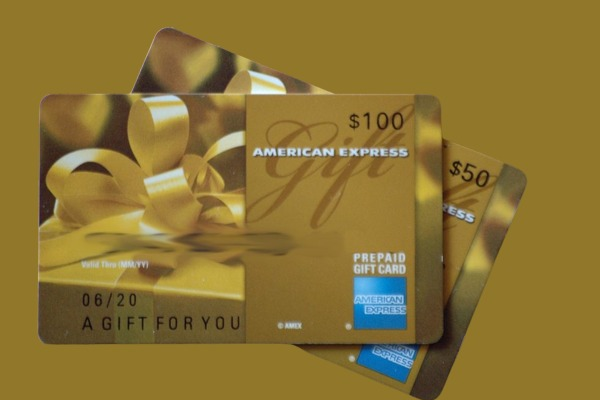

Overview of American Express Gift Cards
An American Express (AMEX) gift card is a prepaid card used for purchases anywhere AMEX is accepted. These open-loop gift cards are not limited to any specific merchant and can be used to pay for goods in several stores. They are a flexible alternative to traditional debit or credit cards, available in various denominations ranging from $25 to $3,000, meaning there is a gift card for every pocket. AMEX gift cards offer numerous benefits, like convenience and security for online and in-store purchases.
Types Of AMEX Gift Card
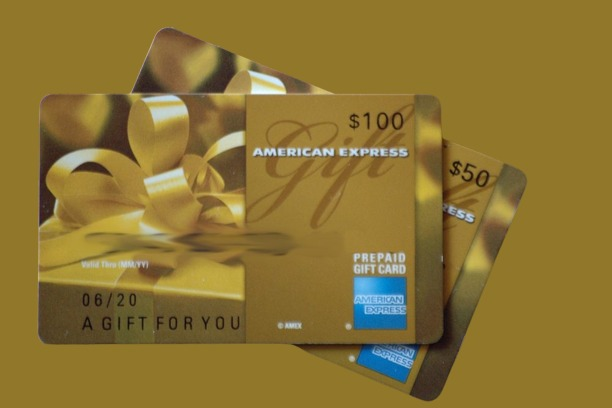
- Physical Gift Cards: These traditional plastic cards are often purchased in retail locations or ordered online for physical delivery. They come in various designs and can be personalised for special occasions.
- eGift Cards: These digital versions are delivered via email and can be used immediately for online purchases. They’re ideal for last-minute gifts or for those who prefer a paperless option.
- Corporate Gift Cards: Designed for businesses, these cards are often used for employee rewards, customer appreciation, or business expenses.
Features and Benefits Of AMEX Gift Card
- Wide Acceptance: AMEX gift cards are accepted at millions of merchants worldwide that accept American Express cards.
- No Expiration Date: Unlike some gift cards, AMEX gift cards do not expire, ensuring long-term value.
- Purchase Protection: Many AMEX gift cards come with built-in fraud protection, adding an extra layer of security to your transactions.
- Reloadable Options: Some AMEX gift cards can be reloaded, extending their usefulness beyond the initial balance.
- Customizable Amounts: Gift cards can be purchased with various denominations, typically ranging from $25 to $3,000.
- Prepaid: Funded with a set amount, which can be used to make purchases until the balance is depleted.
- No fees: Typically, no fees for purchases, but some cards may have activation or maintenance fees.
- Customer support: Amex provides customer support for gift card holders.
Activating Your American Express Gift Card
To use your AMEX gift card, you will need to activate it first. It’s a way to inform the issuer (The AMEX brand) that you or whoever owns the card wants to start using the money pre-loaded in it. You can activate your AMEX gift card through the website or by calling the toll-free number on the back of the card. If your card is digital, the number will be in your email.
Follow these steps to activate your gift card through the website.
- Visit the American Express Gift card website on your browser.
- Fill out the required fields with your gift card information, such as the 15-digit number of your card, the 4-digit code, and the expiration date.
- Click on sign-in to activate.
How to Use Your AMEX Gift Card Online
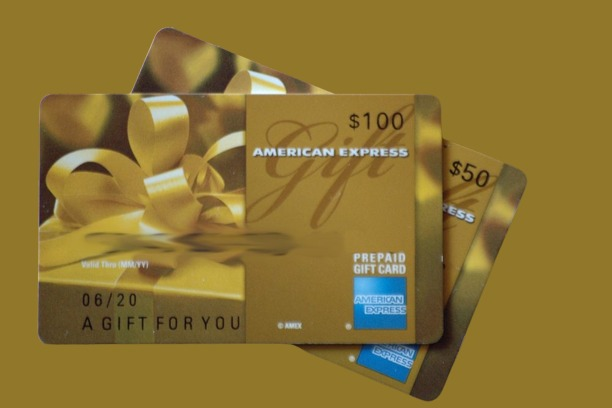
Once your gift card is activated, you can start making payments online. Using your AMEX gift card online is straightforward, just like using any credit or debit card. After you’ve added all your items to your cart, follow these steps to complete your purchase:
- Go to the Checkout Page: Proceed to the payment section.
- Select ‘Credit or Debit Card’ Payment Option: Choose the option for Gift cards.
- Fill in your AMEX gift card details: Input the Card number, CVV, and expiration date.
- Enter billing information: Fill out your name and address in the “Billing Address” section.
- Complete the Transaction: After reviewing the order and completing the payment, the amount is deducted from your gift card balance.
How to Check Your AMEX Gift Card Balance
Before making purchases, confirm that your AMEX gift card has enough balance. Here’s how to check your AMEX gift card balance:
- Visit the Official AMEX Website: Head to the American Express website and select the “Gift Cards” section.
- Click ‘Check Balance’: Navigate to the balance check section.
- Enter Your Gift Card Details: Provide the gift card number, 4-digit security code, and expiration date.
- View Your Balance: Click “Sign in,” and your current card balance will be displayed.
Making Online Purchases With Your American Express Gift Card
Now that your AMEX gift card is activated, you can shop online. Here’s how to use it.
- Select the items you want to buy from your preferred merchants, provided they accept AMEX cards. Add the desired items to your cart.
- Proceed to the checkout page and select gift cards as the payment method.
- Input your American Express gift card details, including the card number and security code.
- Confirm the payment and complete the transaction.
Tips For Successful Online Transactions With AMEX Gift Cards
To enhance your online shopping experience with AMEX gift cards, consider the following tips:
- Ensuring Sufficient Balance
- Always check your balance before purchasing to avoid declined transactions.
- Remember that some merchants may place a temporary hold on funds exceeding the purchase amount, potentially affecting your available balance.
- Combining Gift Cards with Other Payment Methods
- If your purchase exceeds your gift card balance, many online retailers allow split payments.
- You can often use your AMEX gift card first, then cover the remaining amount with another payment method.
- Some websites may require you to contact customer service to process split payments manually.
- Dealing with Partial Authorisations
- Partial authorisations occur when the purchase amount exceeds your card balance.
- Some merchants will approve the transaction for the available balance and prompt you for an additional payment method to cover the difference.
- Others may decline the transaction entirely, requiring you to enter a new payment method for the full amount.
Troubleshooting Common Issues With AMEX Cards
Even with proper preparation, you might encounter some challenges when using your AMEX gift card online.
Here’s how to address and fix common issues with AMEX Gift Cards:
- Card Declined Errors
If your card is declined:
- Verify that you’ve entered all card information correctly.
- Ensure your purchase amount doesn’t exceed the card balance.
- Check if the merchant accepts prepaid gift cards or American Express.
- Contact AMEX customer service if the issue persists, as there may be a problem with the card itself.
- Address Verification Problems
Some merchants use Address Verification System (AVS) to combat fraud:
- Make sure the address you provide matches the one associated with your gift card.
- If you’re unsure about the correct address, contact AMEX customer service for verification.
- Consider registering your card if you haven’t already, as this can help with address verification issues.
- Merchant Acceptance Limitations
Not all online merchants accept AMEX gift cards:
- Check the merchant’s accepted payment methods before attempting a purchase.
- Look for the American Express logo or prepaid gift card options in the payment section.
- If a preferred merchant doesn’t accept your card, consider purchasing from an alternative retailer or using the card to buy a gift card for the specific store you want to shop at.
By following these steps and tips, you’ll be well-equipped to handle most situations that arise when using your AMEX gift card for online purchases. Remember, if you encounter persistent issues, don’t hesitate to reach out to American Express customer support for assistance.
Security Measures For Using AMEX Gift Cards Online
In an era of increasing digital threats, it’s crucial to prioritise security when using your AMEX gift card online.
Here are some essential measures to protect your card and personal information:
A. Protecting Your Card Information
- Only enter your card details on secure websites: Look for “https://” in the URL and a padlock icon in the address bar.
- Avoid using public Wi-Fi networks when making purchases: These networks are often unsecured and vulnerable to hackers.
- Keep your card number and security code private: Never share this information via email or unsecured messaging platforms.
- Use strong, unique passwords for your online accounts: This helps prevent unauthorised access to your registered card information.
B. Recognising and Avoiding Potential Scams
- Be wary of unsolicited emails or messages requesting your card information.
- Verify the legitimacy of unfamiliar online merchants before making purchases.
- Be cautious of deals that seem too good to be true, as they often are.
- Regularly monitor your card balance and transaction history for any suspicious activity.
Conclusion
American Express gift cards are one of the most versatile because they are accepted by many merchants and stores online and offline. To use your card for online shopping, you must activate it first. Then, you can enjoy a smooth shopping experience afterwards. Instead of looking for specific merchant-issued gift cards, use AMEX for its versatility and convenience. Remember to stay cautious when purchasing items online. Ensure that the website is authentic to avoid phishing scams.
FAQ
- Can American Express cards be used online?
Online: For online purchases, you’ll be asked to enter your Card details during checkout, including your Card number, expiration date and 4-digit security code located on the front of your Card.
- Can you use American Express to pay online?
Pay with American Express. Customers can use American Express cards at checkout by entering their card number, expiry date, and security code.
- Where can I use my American Express card?
“According to an American Express representative, 99% of U.S. merchants who accept credit cards also now accept AmEx.
- How do I use my American Express gift card for online purchases?
Select ‘Credit’ or ‘Debit’ as the payment method (Do not select ‘Gift Card’). 4. In the Payment Method section, enter the card information as you would a credit or debit card.
- Can you buy things online with AMEX?
Click to Pay is a quick and secure way to make online purchases with your American Express® Card.