


What is OPay?

OPay is a Nigerian financial technology (fintech) company that has expanded across Africa. Founded in 2018 by Opera Software, the company is designed to make mobile payments, money transfers, and other financial transactions simple and fast.
Key Features of the Opay App
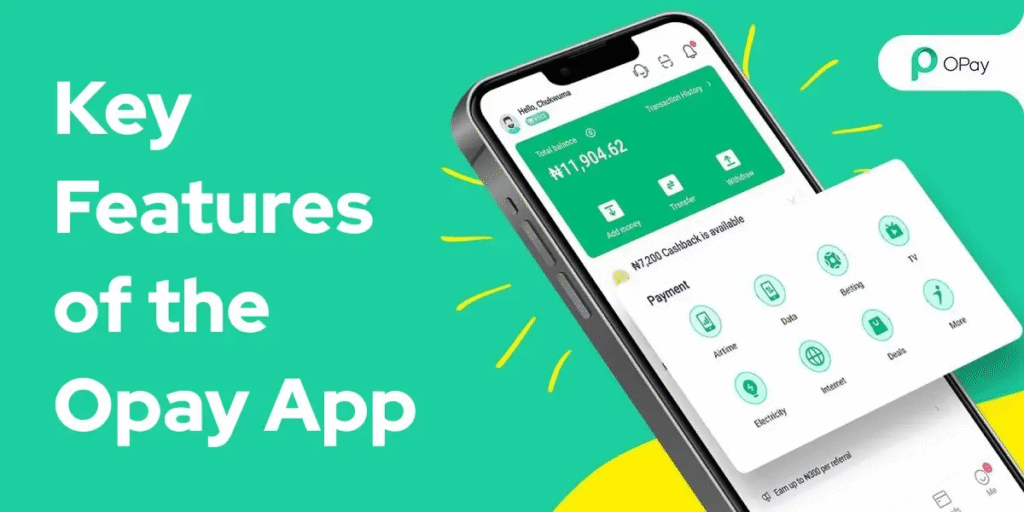
Opay has a range of features that make it appealing to the user base. Let’s break them down:
- Instant Money Transfers
The latest version of the OPAY app makes it easy to send and receive money instantly and with ease. The moment you send the money, whether to family members or a business merchant, it gets sent instantly. No waiting time or added hassle. You simply put in the recipient’s details, the amount, and send. The money is received within seconds. It is suitable for everyday transactions and eliminates the need to physically go to the bank or spend time processing.
- Airtime Recharge and Bill Payments
Bill payments are not a problem anymore. You can just pay electricity, water, internet, and cable TV bills via your phone with the Opay app. You can even recharge airtime for your mobile instantly. Just choose your network, enter your phone number, choose the amount, and tap to pay. No queues, no forms—just smart digital payments that are easier and more convenient for everyone.
- Savings with Owealth
The Owealth feature on the Opay platform lets you save your money conveniently. You can deposit funds into your Owealth account and earn interest on it every day, more than typical savings accounts. The great thing? Your money is not locked. You can withdraw at any time with no penalty or wait. This is a safe and convenient means of saving money and earning consistent passive income each day.
- Loans and Credit
In need of cash immediately? The opay app apk feature offers instant credit for personal loans at low-interest rates. No need to visit the bank or complete reams of paper forms. Simply apply within the app, get approved in minutes, and the funds will be deposited into your Opay wallet. Fast, convenient, and ideal for emergencies, bills, or unexpected expenses. The payment system is also hassle-free and all-digital.
- Debit Card
The opay loan app enables you to apply for a virtual or physical debit card directly tied to your wallet. The card works just like a bank card—you can use it to pay online, withdraw money from an ATM, and pay in offline shops. It gives you more freedom and control over your digital cash. And, it’s secure, hassle-free, and perfect for users who miss the traditional card experience.
- QR Code Payments
Payments have never been easier. With the opay app, scanning a qr code during checkout lets you pay instantly. Just open the app, scan the merchant’s qr code, pay the correct amount, and the payment is made within seconds. The process isn’t just safe but clean as well—ideal for public places. It’s a cashless cardless payment method that enhances safety and speed.
- Ride and Delivery Services
The opay business app download does not stop at financial abilities—it even offers ride-hailing and food delivery services in selected cities. Reserve affordable rides or have your favorite foods delivered to your doorstep. All via the same app, saving you time and reducing multi-app usage. For commuting to work or grabbing lunch, Opay’s integrated services make life simpler and more convenient.
- Opay Business App for Merchant Services
The Opay business app is an easy-to-use tool for entrepreneurs. It enables merchants to accept payments using POS or QR codes, monitor sales, monitor inventory, and even offer digital receipts. Small businesses and medium enterprises experience seamless operations and real-time financial tracking. Entrepreneurs can keep their entire store in check with a few taps, spending less time, boosting productivity, and improving customer experience.
Benefits of Using Opay Wallet
Before creating an account, understand why Opay is worth using:
- Fast transactions: Instant money transfers between Opay users.
- Low transaction fees: Competitive charges compared to traditional banks.
- User-friendly interface: Easy navigation for beginners and tech-savvy users alike.
- Financial services integration: Access loans, investments, and savings plans.
- Secure platform: OTP verification, PIN protection, and encrypted transactions.
Why Is Opay So Popular?
Several factors contribute to the app’s huge popularity:
1. Accessibility
One of the biggest perks of using the Opay app is that it is so convenient. You don’t need a traditional bank account to create an account. Anyone with a smartphone can download opay app for Android and begin taking advantage of its features right away. It’s ideal for those who live in remote or underserved communities who have no bank access. It makes people more empowered by bringing the services of finance into the palm of their hand—no waiting, no paperwork.
2. Low Fees
Exorbitant bank fees will discourage individuals from using digital payments, but the Opay app breaks this. The majority of its services are free or have low charges. Whether you’re sending money, settling bills, or recharging airtime, you’ll have low costs. This affordability has made downloading opay app on the Play Store a hit with users seeking to handle their money carefully and steer clear of the high fees normally found in conventional financial institutions.
3. Speed and dependability
Time is money, and Opay knows that well. Transfers on the Opay mobile app only take seconds, which is a speed not easy to surpass. The system is intended to be fast, so few lags exist, and transactions are processed efficiently even under high usage. When paying a friend or service provider, you can be certain that the money will reach them soon and without errors.
4. Comprehensive Service Offerings
Opay app is not just a wallet, but an entire package of financial and lifestyle services. Pay bills and buy data, apply for a loan, and book a ride; you can do everything. It is actually a one-stop shop designed to fulfill daily needs. Instead of having multiple apps, you have all these in one place, saving time and phone space and making life more convenient.
5. Security
Security is near the top of the list for the Opay app. It uses end-to-end encryption and other cutting-edge security features to safeguard your money and personal data against fraud or external attack. You can turn on PIN codes, biometric authentication, and other features to add extra layers of protection. This gives customers assurance that their money is held in a safe, secure digital environment.
6. Offline Support
Not all have reliable internet access, and Opay understands that. That’s why the Opay app is USSD-based, so users can transact in offline or no-Wi-Fi scenarios. The use of a unique code allows users to send funds, check balances, or pay bills even in less-than-ideal connectivity areas. This makes Opay an inclusive platform, providing digital financial inclusion to underserved and far-flung communities.
Requirements to Open an Opay Wallet
To open your Opay wallet safely, you need:
- A smartphone with internet access
- A valid Nigerian phone number
- A government-issued ID (National ID, Voter’s Card, or Driver’s License)
- An active bank account or debit card (for funding your wallet)
- A valid email address (optional but recommended for notifications)
How to Get Started with Opay
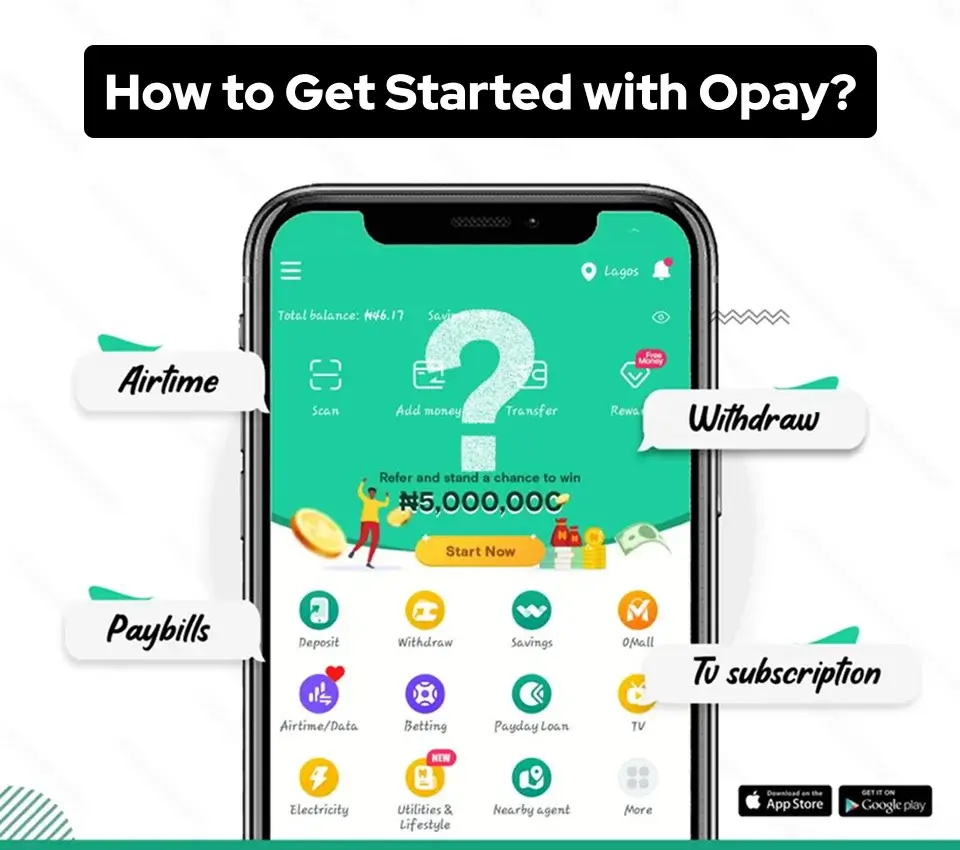
Getting started is simple:
- Opay App Download – Go to your store and download the Opay app.
- Download the Opay App for Android – The app is readily found on the Google Play Store for Android users.
- Download the Opay App on the Play Store – Simply do a quick search, and you will find yourself directly on it.
- Downloadthe Opay Bank App – It is not just a wallet; it acts like a complete bank.
- Opay App Download APK – For other users outside areas covered by app stores, the APK file is downloadable.
- App APK – It can also be installed manually from the APK version.
- Opay Mobile App – The whole package is what you can enjoy here with this name.
- Opay Download App – You search for anything, you’ll end up with the same useful tool.
Opay App Review
In today’s world, it’s essential to take care of money matters from your phone easily. Opay App makes managing finances simple, safe, and problem-free. Opay created a smooth experience through its straightforward app. Transactions happen quickly and securely. Customer service responds fast to any issues. Costs are low for most services, too. We have come up with a comprehensive review of the Opay app after our thorough inspection of the app and interviews with some of the users:
- Interface and Usability
Opay’s app is easy to use. When you open the app, everything is neatly organized. You can find different features like sending money, paying bills, and more in easy-to-navigate sections. You won’t get lost in a maze of options. Plus, the buttons are big and easy to tap, even if you’re using the app for the first tim,e for those with good eyesight.
- Performance and Speed
Opay is really quick when it comes to handling your money. When you add or spend money from your account, it happens almost instantly. If you send money to someone, they get it in just a few seconds. The app doesn’t slow down or freeze; it responds right away.
- Security and Privacy
Opay takes good care of your personal information. They use special technology to ensure your login and financial details are safe. They don’t share your personal information with other companies. also give you options to reset your password, lock the app, and report your phone as lost, so you have extra protection.
- Customer Support
If you have a problem or a question, you can contact Opay’s customer support. You can reach them 24/7 through chat, phone, email, or social media. They’re friendly and quick to help. They know what they’re doing and will solve your issues.
- Pricing and Charges
Sending money to other Opay users is free, which is excellent. But if you’re paying bills or depositing or withdrawing cash, there might be a small fee. However, the good news is that Opay gives you cashback rewards. This means they give you some money back for using their service, and that can make up for the fees. So, overall, Opay is still a cost-effective option compared to other services.
How to Deposit Money in the Opay app
Opay prides itself on offering users flexibility and choice when adding funds to their digital wallets. Whether you have a bank account, cash in hand, or friends using the app, Opay provides convenient deposit options to suit every situation. Let’s look at the different ways you can put money into your Opay account so you’re ready to take advantage of the full suite of services on the Opay App.
- Bank Transfer
Depositing money into your Opay app via bank transfer is a straightforward process. To do this, you need to:
- You’ll need an existing bank account from which you can transfer funds to your Opay wallet.
- Open your bank’s mobile app or access your online banking account.
- Initiate a funds transfer to your Opay account. You may need to select “OPay” as the recipient bank, depending on your bank’s options.
- Enter the Opay account details, including the account number, which is usually your phone number linked with Opay.
- Confirm the transfer and await a notification confirming the successful deposit of funds into your Opay wallet.
- Cash Deposit through Opay Merchants:
Opay has an extensive network of merchants across Nigeria. You can deposit cash into your Opay wallet by visiting these merchants.
- Hand over the cash amount you want to deposit to the Opay merchant and provide them with your Opay phone number.
- The merchant will process the deposit, and you will receive a notification on your Opay app confirming the successful cash deposit.
- Top Up with a Card or Bank Account
Opay allows you to link your debit or credit card to your account. You can use these linked cards to top up your Opay wallet.
- Access the Opay app and move to the “Top Up” or “Add Money” section.
- Choose the option to add money via card.
- Enter the required card details and the amount you wish to deposit. Follow the on-screen instructions to complete the transaction.
- Bank USSD
Some banks offer USSD codes that allow you to transfer money directly to your Opay wallet. This is similar to the bank transfer method but can be done without a mobile app or internet connection.
- Dial your bank’s specific USSD code for transferring funds.
- Follow the prompts to select Opay as the recipient and provide the required Opay account details.
- Confirm the transaction, and the funds will be deposited into your Opay wallet.
- Request Money from Other Opay Users
If you have friends or family who also use Opay, you can request them to transfer money to your Opay wallet.
- Access the Opay app and select the “Request Money” or “Send Money” feature.
- Enter the recipient’s phone number and the amount you want to request.
- Send the request, and the other Opay user can approve and transfer the funds to your wallet.
- Through QR Code:
Opay provides users with QR codes that other Opay users can scan to initiate a money transfer.
- Generate a QR code for your Opay wallet by accessing the app’s settings or profile.
- Share this QR code with another Opay user, who can then scan it to send money to your wallet.
- These diverse methods make it easy and convenient to deposit money into your Opay app, catering to a wide range of user preferences and needs.
How to Get The Opay Card
Here are the steps to request an Opay virtual debit card:
- Log in to your Opay dashboard.
- Click on the “Cards” option from the bottom navigation bar.
- You will see two sections – click on “Physical card”.
- Again, you will see two options. Pick the one that you are comfortable with
- Confirm payment of the 1200 issuance fee.
- Click “Make Payment” and enter your 4-digit PIN to complete the transaction.
- Once payment is processed, you will receive confirmation that your physical Opay debit card has been issued. You can then start using it for online purchases and payments.
Pros:
- User-friendly interface for seamless navigation
- Comprehensive financial services for convenient bill payments, savings, and investments
- Swift and secure money transfers between users
- Cost-effective services without any transfer fees for the first three transfers
- Timely transaction updates through detailed notifications
Cons:
- App size may be too large for older devices with limited storage
- Improvement needed in customer support response times
- Limited investment options in comparison to specialized investment apps
Tips to Use Opay Wallet Safely
- Enable OTP and PIN security: Always verify transactions with OTP.
- Avoid sharing login details: Your account credentials are private.
- Use official channels: Only contact Opay via the official app support or website.
- Keep your app updated: Updates often patch security vulnerabilities.
- Be cautious of phishing messages: Do not click suspicious links claiming to be Opay.
Common Uses of Opay Wallet
- Peer-to-peer transfers: Send money to friends or family quickly.
- Bill payments: Pay electricity, water, or internet bills directly from the app.
- Mobile recharge: Top-up your airtime or data plan in seconds.
- Investments: Save or invest through the Opay platform safely.
- Merchant payments: Pay merchants or receive payments if you run a small business.
Troubleshooting Tips
- OTP not received: Ensure your phone number is correct and has network coverage.
- Verification delays: Upload clear ID images and ensure your phone matches the registered account.
- Failed transactions: Check your wallet balance and ensure correct recipient details.For additional support, contact Opay’s official customer care within the app.
Why Opay Is Safe for Nigerians
Opay uses advanced encryption and transaction monitoring to secure user accounts. Coupled with PIN protection, OTP verification, and ID verification, Opay ensures your funds and personal information remain secure.
Conclusion
The Opay app is transforming the way individuals think about banking. Its extensive services, simplicity, and focus on inclusivity have made it the best-selling fintech app in Africa. Saving money, paying bills, or growing your business, Opay has you covered.
FAQ
- How many branches does OPay have in Nigeria?
Discover the 17 OPay office locations across Nigeria. Our customer service reps are here to help you with any complaints or questions. Find us in Lagos, Abuja, PHC, and more.
- Can I invest my money on OPay?
AUTOMATIC INVESTMENT. You can choose to automatically invest in Saving Products (“Automatic Invest”) on the Platform. By making this choice, you authorise us to deduct your balance from your OPay APP wallet and invest the designated amount specified by your selection in Saving Products.
- Is OPay owned by China?
The biggest bank in Nigeria is NOT Nigerian, but a Chinese owned company! OPay has quietly become the real giant in our financial system, and it’s not even owned by Nigerians. Every time your bank fails, you run to OPay.
- What services does OPay offer?
OPay Business provides mobile business management solutions for all merchants, helping you obtain exclusive merchant collection accounts. We support online and offline payments, transfers, airtime and data purchases, utility bill payments, financial plans, and loans.
- What is the new name for OPay?
OPay Digital Services Limited. Our official company name is now OPay Digital Services Limited.
- Can I pay bills using OPay?
OPay App is the easier and secure way to pay all your bills anytime, anywhere. Whether it is gas, water, telecom, internet or recharge; we’ve got it all.